Status v2.37: More control over your digital footprint, view on-chain friends, Linea support, Keycard & dApps on mobile, smart QR code scan, and more

Status v2.37 brings you:
- More control over your digital footprint. A Fully Sandboxed, Local-only Mode
- Linea blockchain is now available in Status
- Your Ethereum on-chain social graph comes to Status
- Reliable messaging comes to Status communities with the SDS protocol (Phase 1 of 3)
- Keycard support now on Status mobile
- Connect to dApps via WalletConnect on Status mobile
- Maximize your view: collapsible navigation bar
- Smart QR scanner for everything
- Deep links now work on Status mobile
- Manage your Status profiles
- Manage devices on syncing tab in Settings
- Spectated communities and emoji reactions now in backups and pairing
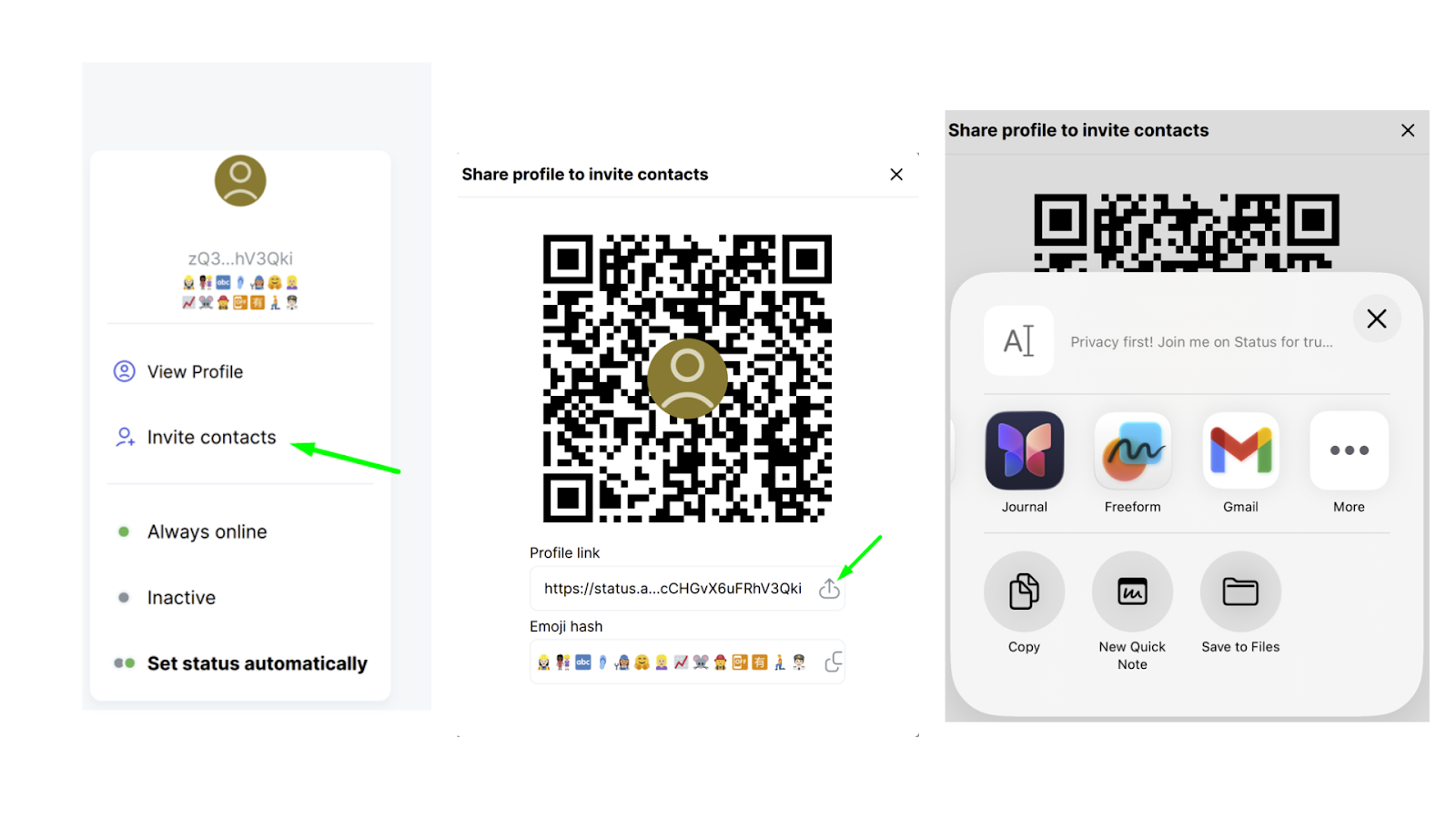
- Easier contact invites across the app
- More reliable token handling across the app
Most apps today rely on external services to provide functionality that would be difficult, slow, or inefficient to run entirely within the app or on the user’s device. In many cases, these services make apps faster, easier to build, and more convenient to use.
But every external request is a signal. A small “ping” that reveals an IP address, a request pattern, or a moment of activity to a third party service. Individually these signals may seem harmless, but together they can form invisible pathways through which behaviour, relationships, and usage patterns can be observed or correlated.
Most users never see these connections. They rarely control them. And in most apps, they cannot turn them off.
Status is built around a different principle: user sovereignty, giving users ultimate control over their digital identity, data, and assets.
With this release, you can now decide how much Status interacts with external services. When needed, you can disable them entirely, turning Status into a fully sandboxed, local-only environment.
It’s another step toward an app that works on your terms and gives you greater control over your digital footprint.
While Status only uses essential third-party services to make your experience more convenient, efficient, and reliable, we understand that some users prefer to avoid any external connections entirely to minimize their external digital footprint.
You can now disable all third-party services with a single switch, either at the start of onboarding or anytime in Settings (Settings >> Privacy and Security >> Third-party services toggle). This turns Status into a fully sandboxed environment with no calls to external services, for those whose privacy and security needs require a fully hardened, local-only setup.
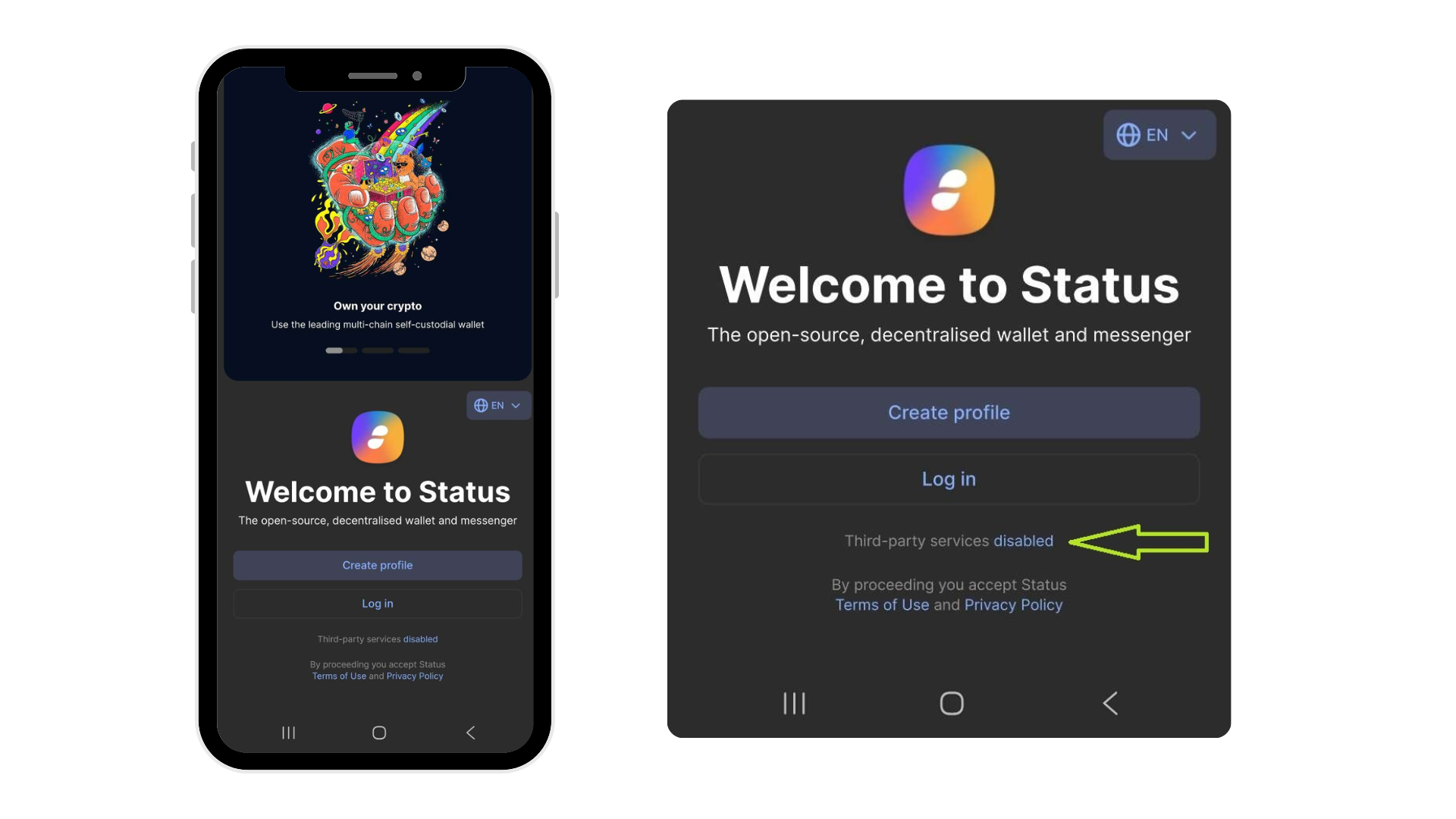
In this third-party services disabled mode, Status focuses on its decentralized messenger and communities. Because this setting disconnects the app from standard blockchain infrastructure providers, wallet functionality is currently unavailable.
This is an early iteration of the feature, and we welcome community feedback at https://discuss.status.app/c/features/51.
The Road to Full User Sovereignty
This is only the beginning. We are working toward a future where you can plug in your own blockchain networks and tokens, allowing the Status wallet to function entirely on your terms without relying on any third-party services.
Now you can view your balances, send and receive tokens and NFTs, and interact with dApps on the Linea blockchain.
Instead of moving between wallets, browsers, and dApps, you can now manage your Linea assets, interact with applications, and stay connected to your activity directly inside Status.
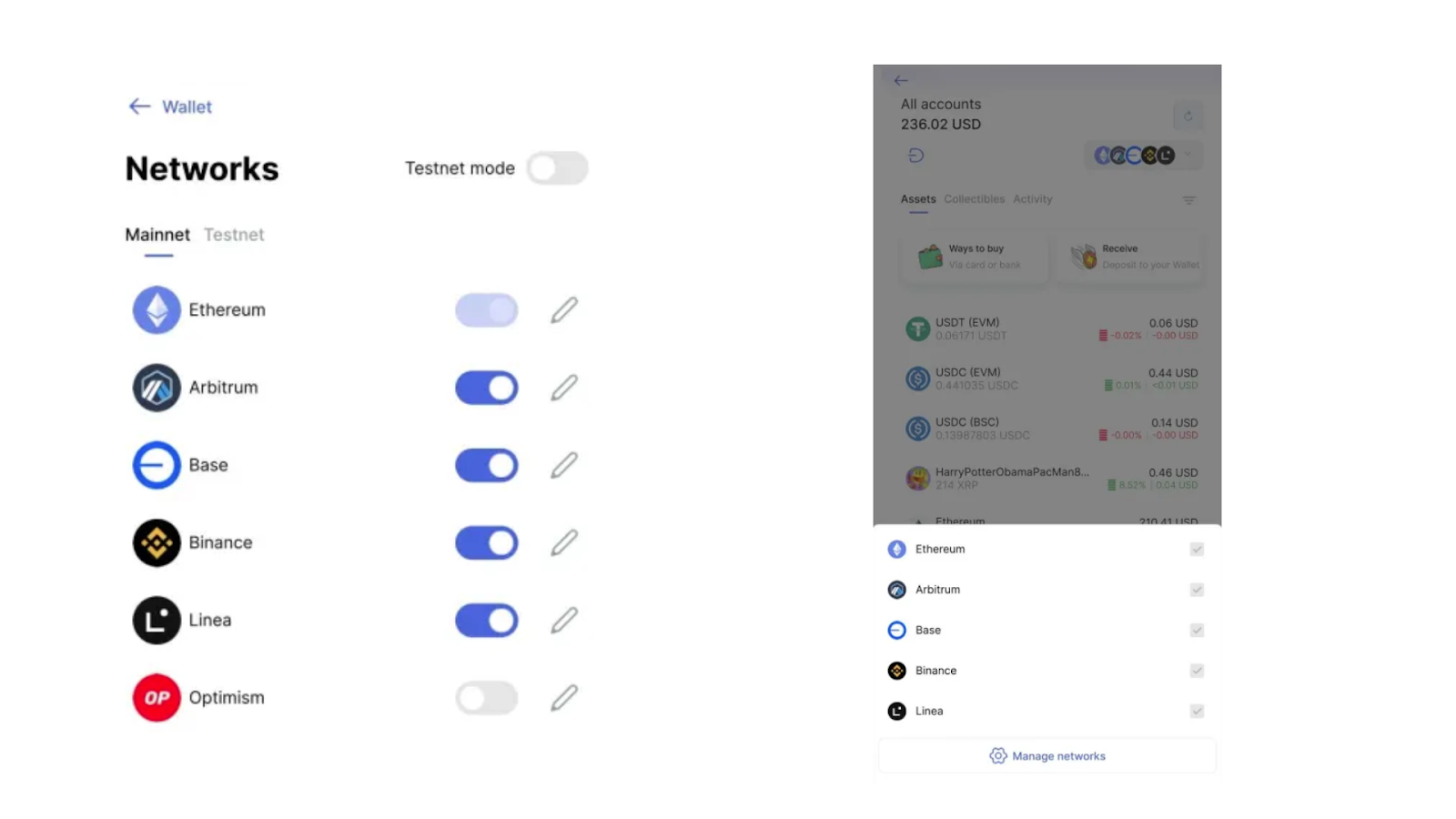
This reduces the need to copy-paste addresses, reconnect wallets, or navigate across multiple interfaces keeping it more safe within a cohesive privacy environment.
Swaps on Linea will be available in upcoming releases, further expanding how you move assets within this ecosystem.
We’ve partnered with the Ethereum Follow Protocol team to bring your Ethereum on-chain relationships to Status, leveraging ENS names and profiles to turn your Status wallet from a list of addresses into a living network of Ethereum on-chain identities.
As activity across chains grows, interacting with the correct addresses becomes increasingly important.
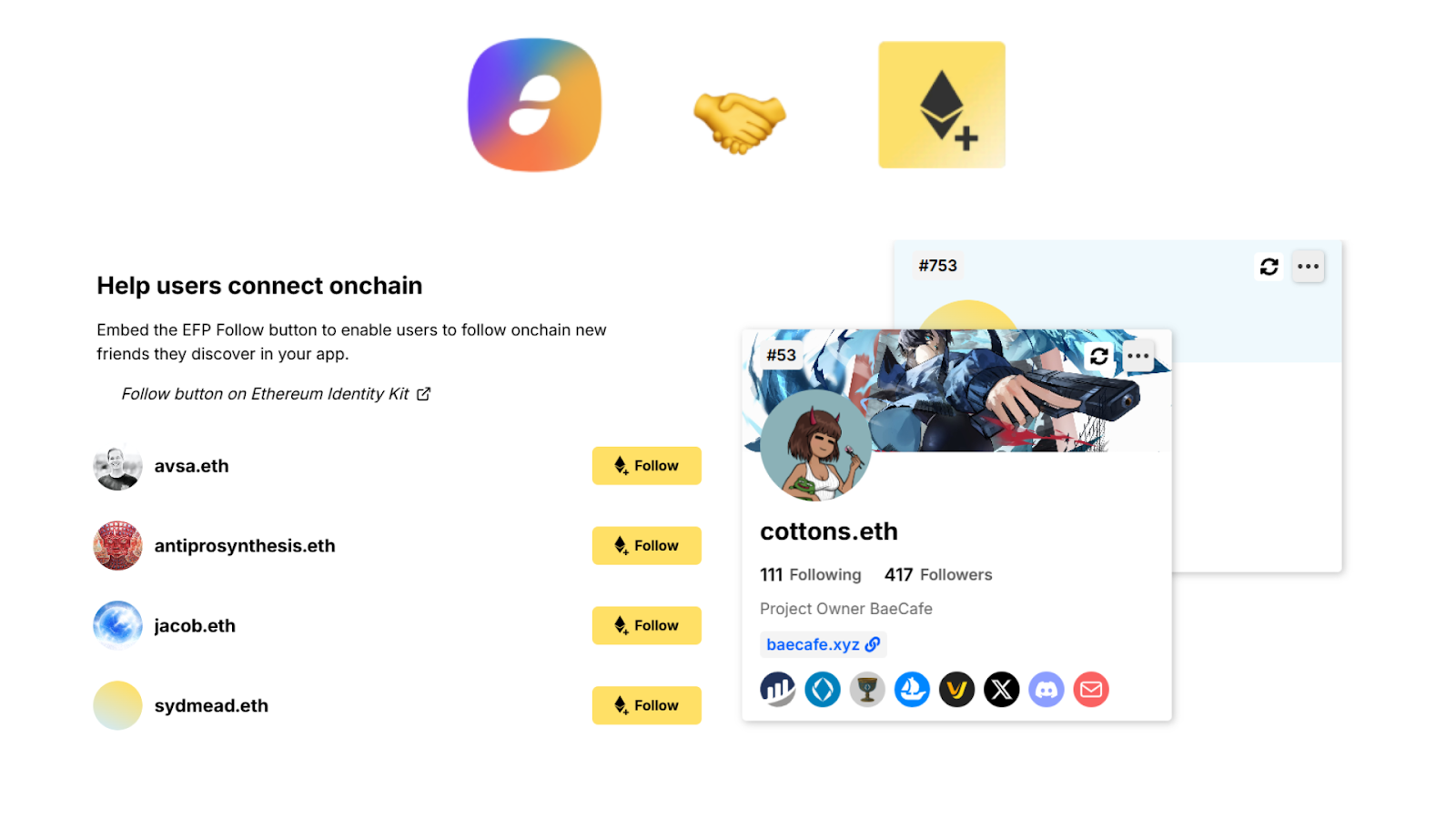
This integration introduces a more structured way to recognize and work with the Ethereum accounts you follow on chain, directly within your wallet.
Interact with Confidence
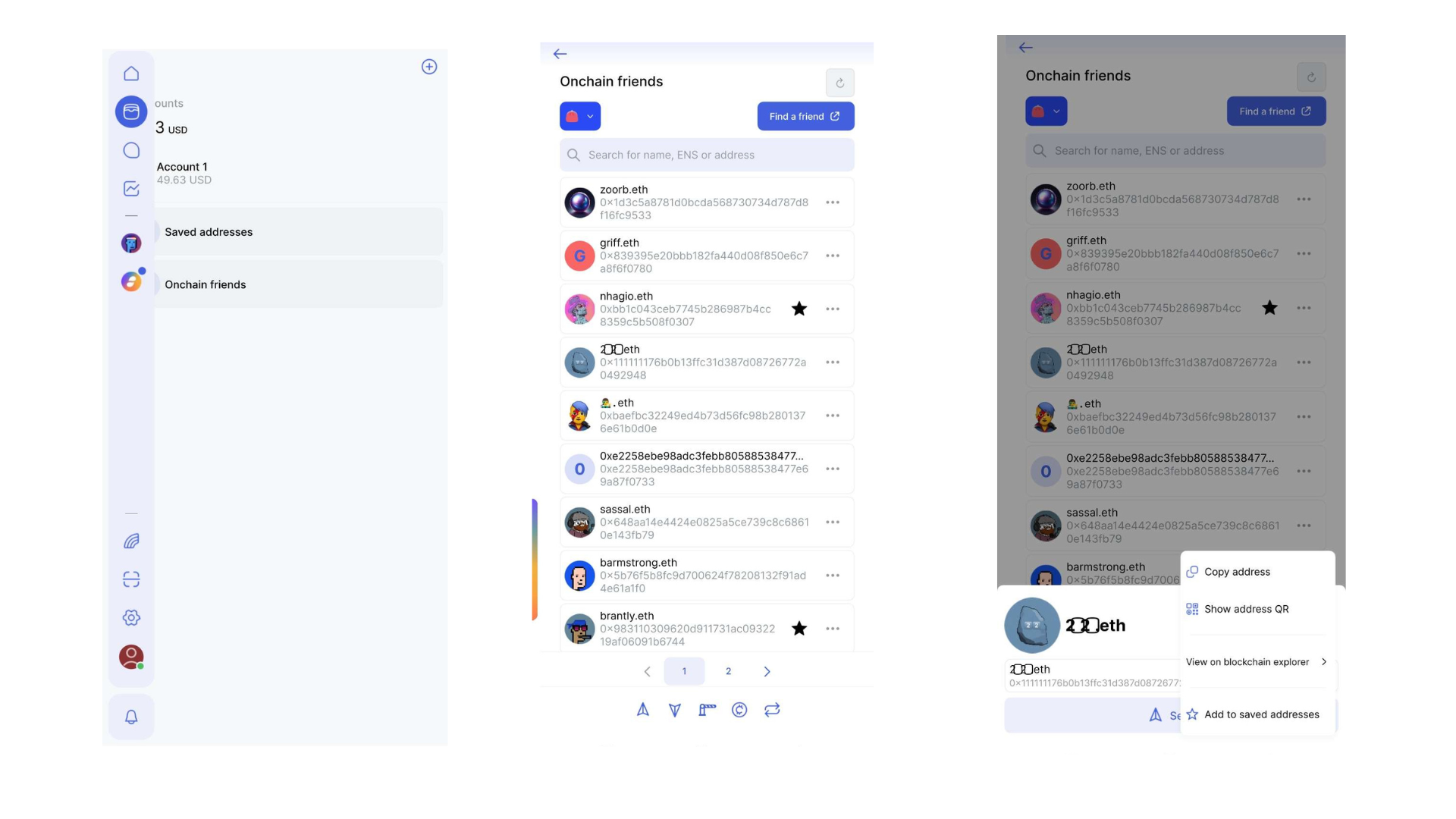
The new “Onchain Friends” tab in your wallet automatically surfaces the Ethereum accounts your wallet address follows. This isn't just about being social, but it’s a powerful safety feature.
By leveraging your on-chain connections, you can add your on-chain friends to your saved addresses, send tokens, or view their activity on blockchain explorers without the constant worry of interacting with the wrong address.
Stay Connected, Stay Secure
Your Ethereum world is not only tokens and balances, but it is the people you interact with. Status now provides a seamless way to stay linked to your on-chain circle while minimizing the risk of "fat-finger" errors or phishing.
Stay connected with your on-chain friends, directly inside Status. This makes your wallet experience more contextual, not just transactional.
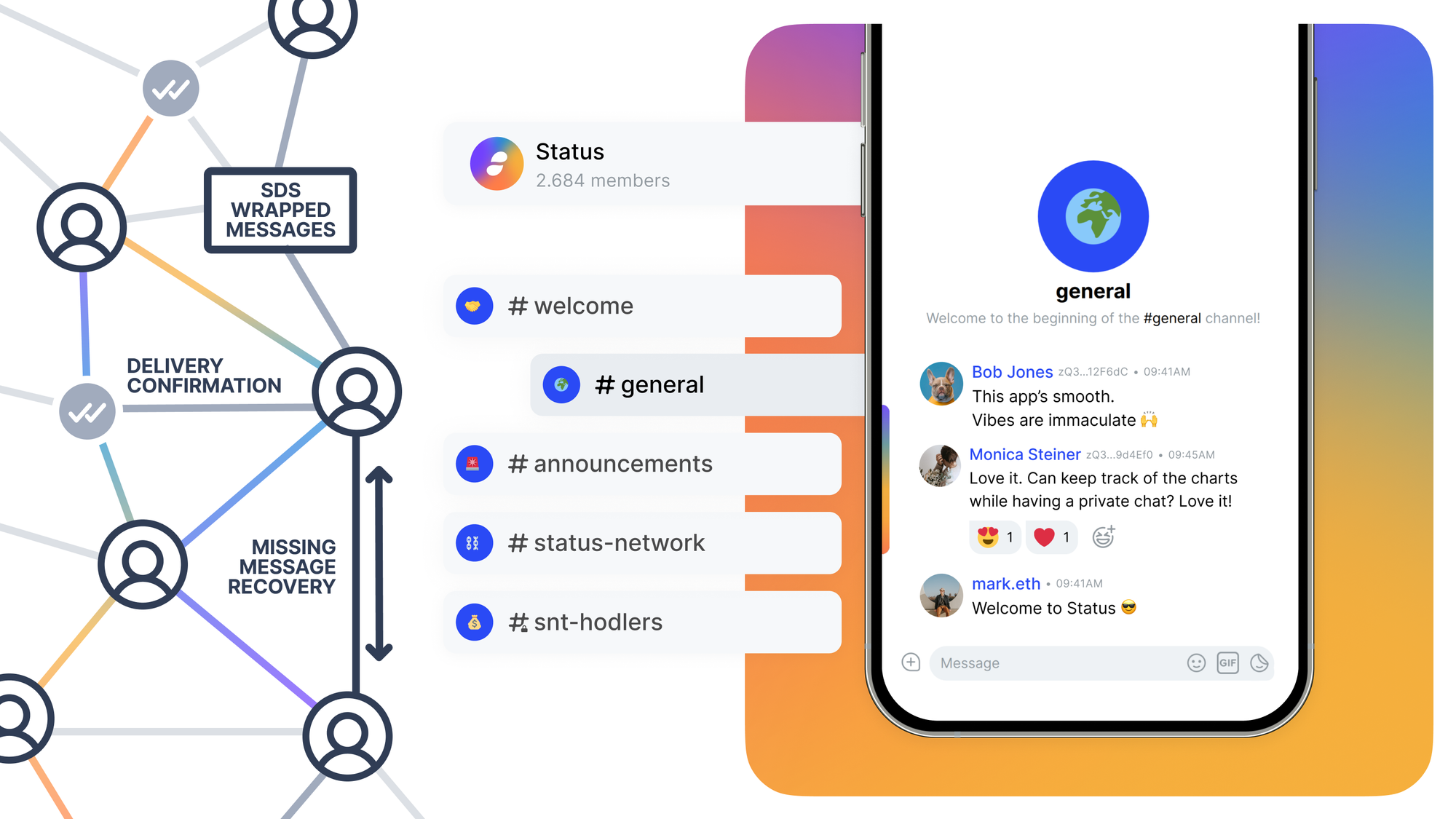
Status 2.37 marks the beginning of the SDS (Scalable Data Sync) protocol rollout, bringing reliable message delivery to Status communities. Starting with this release, the app can receive and understand SDS messages while remaining fully compatible with older versions.
This is the first of three releases in a gradual rollout. Full activation of the SDS protocol in Status communities is planned for Status 2.39. Once complete, community members will be able to see whether their messages were received and the app will automatically detect and recover missed messages.
We’re bringing hardware-level security to your pocket. This release introduces full Keycard support for Status Mobile, allowing you to keep your private keys offline while enjoying the seamless experience of a mobile wallet.
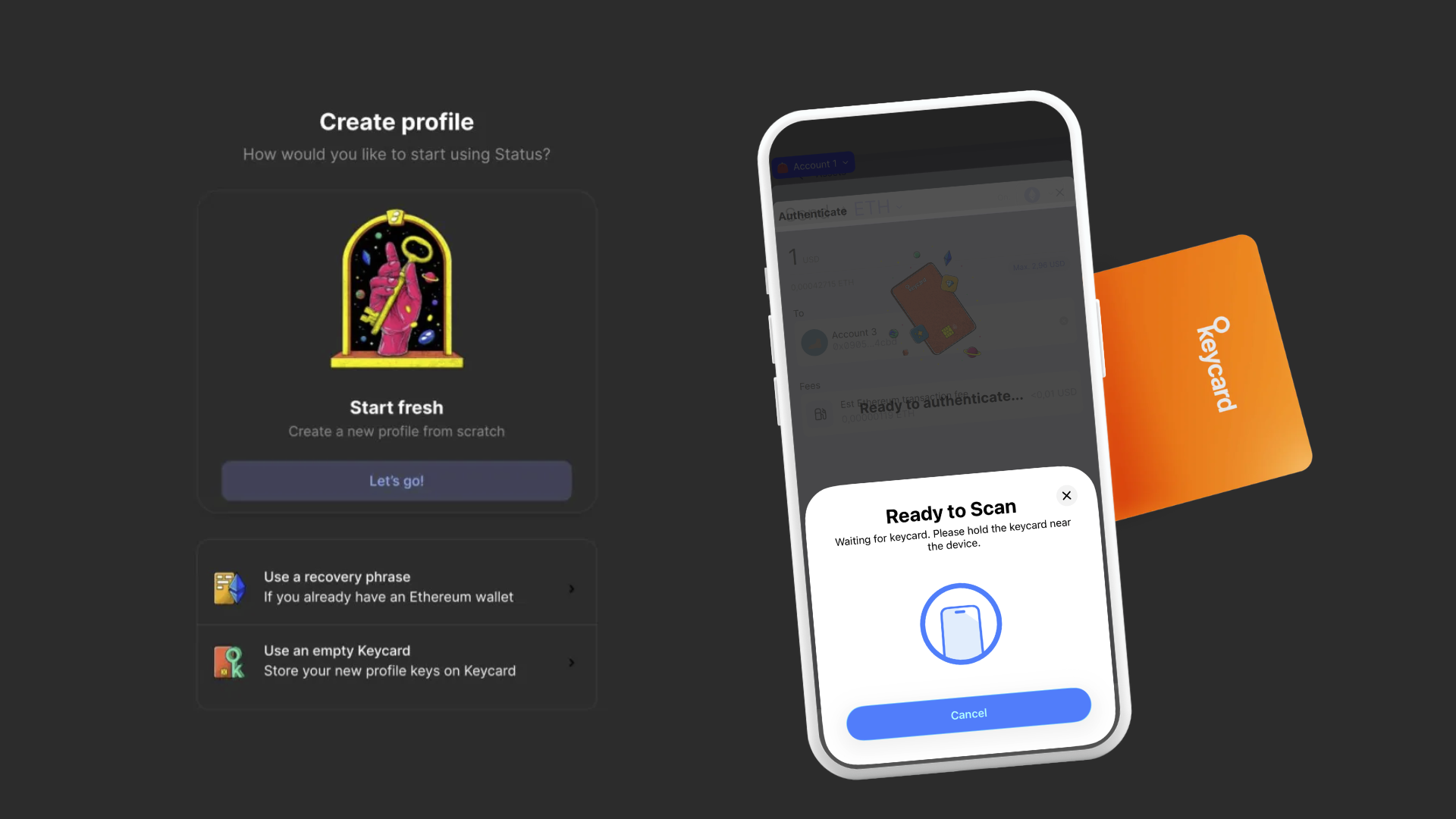
Now, new users can onboard with Keycard, and existing users can migrate their Keycard profiles from Status Legacy to the Status mobile app (Learn how to migrate your profile).
This is our initial Keycard release on Mobile, and the development team is already working on streamlining the Keycard flows and making them more efficient in upcoming releases.
New to Keycard? Get your own Keycard to start using hardware-enforced security today.
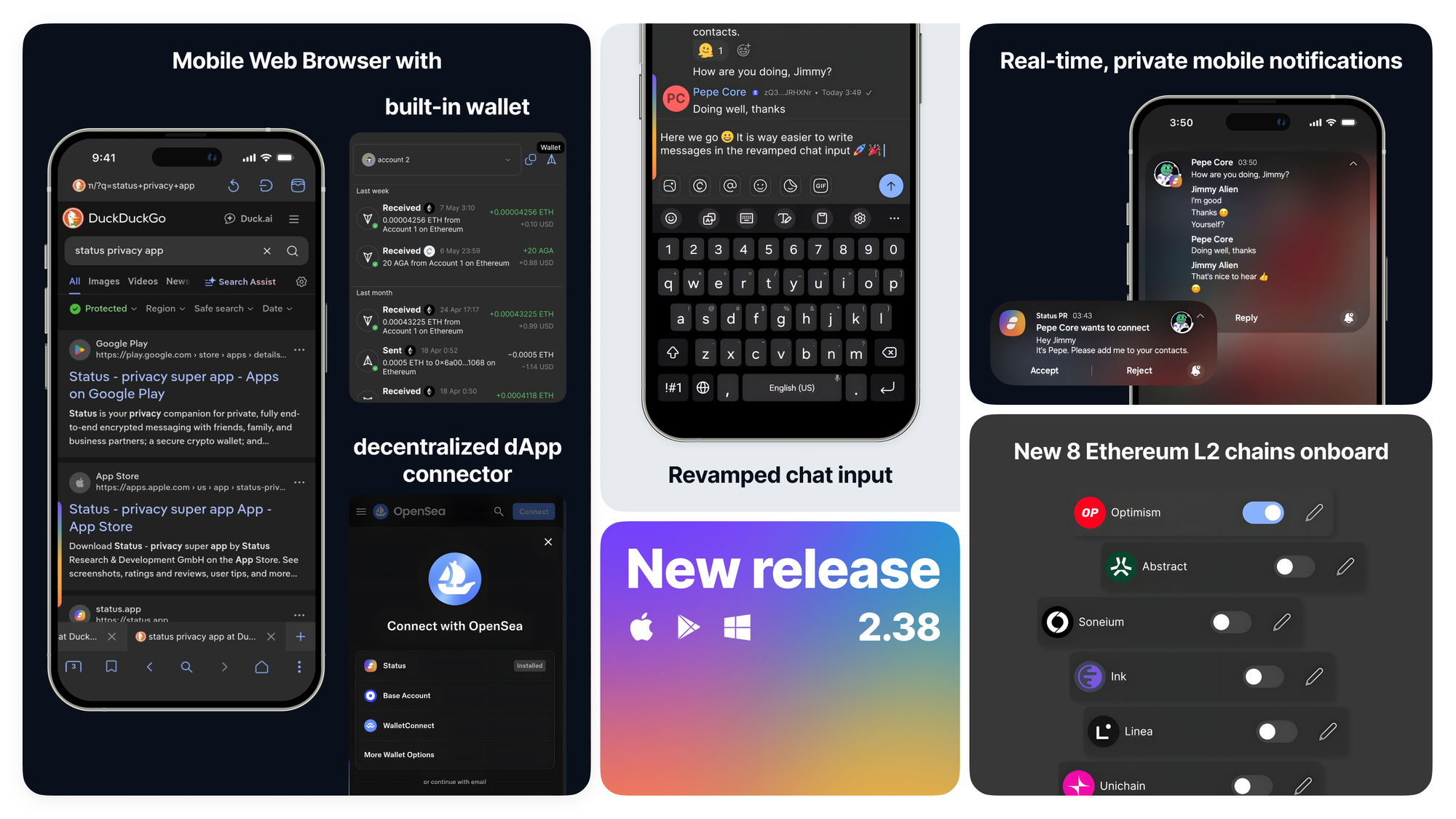
You can now connect to dApps on supported networks via WalletConnect directly from the Status mobile app.
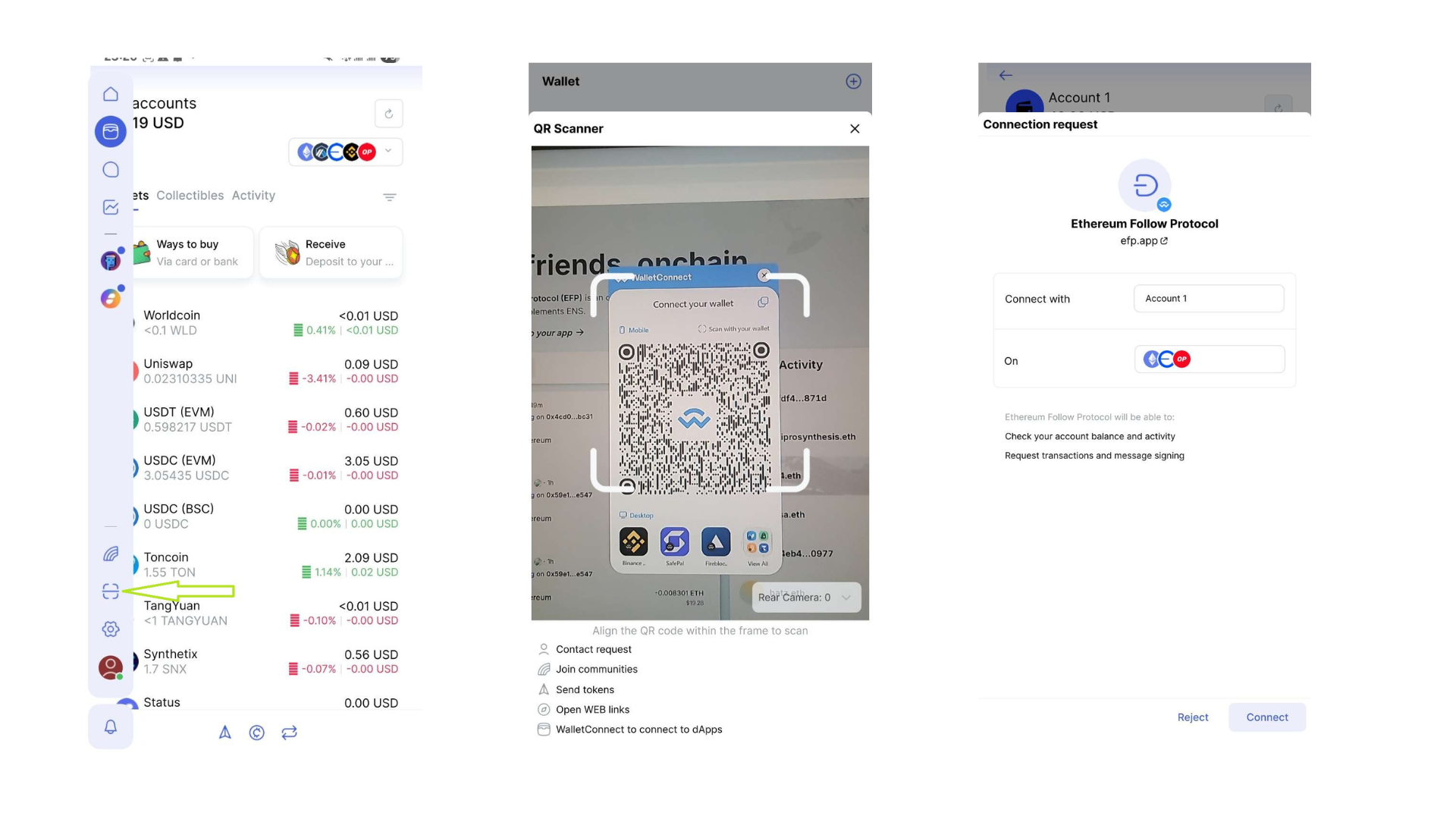
The main navigation bar is no longer fixed, giving you back valuable screen real estate. Toggle it open when you need to switch tabs, or collapse it to enjoy your content in full-width mode.

The new QR scanner in the main navigation bar is your universal entry point for Status. Whether you’re connecting with a friend, sending tokens, or connecting to a dApp, Status automatically recognizes the code and puts you on the right path instantly.

Clicking on contact invite or community links on mobile now opens them directly in the Status mobile app and brings you exactly where you need to be.
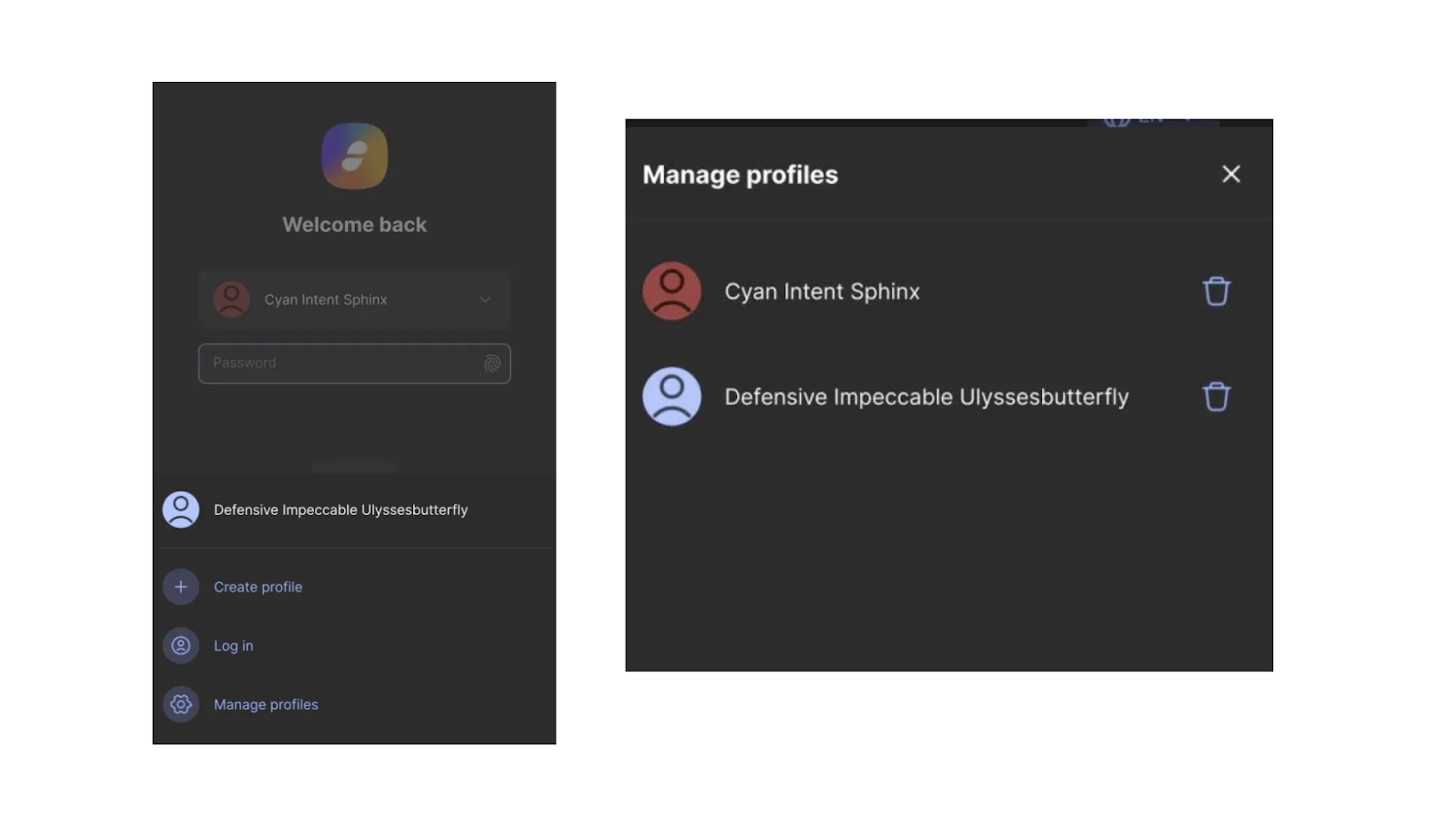
We’ve added a straightforward way to manage your Status profiles. If you no longer need a specific Status profile in your app, you can now delete it directly from the Login screen.
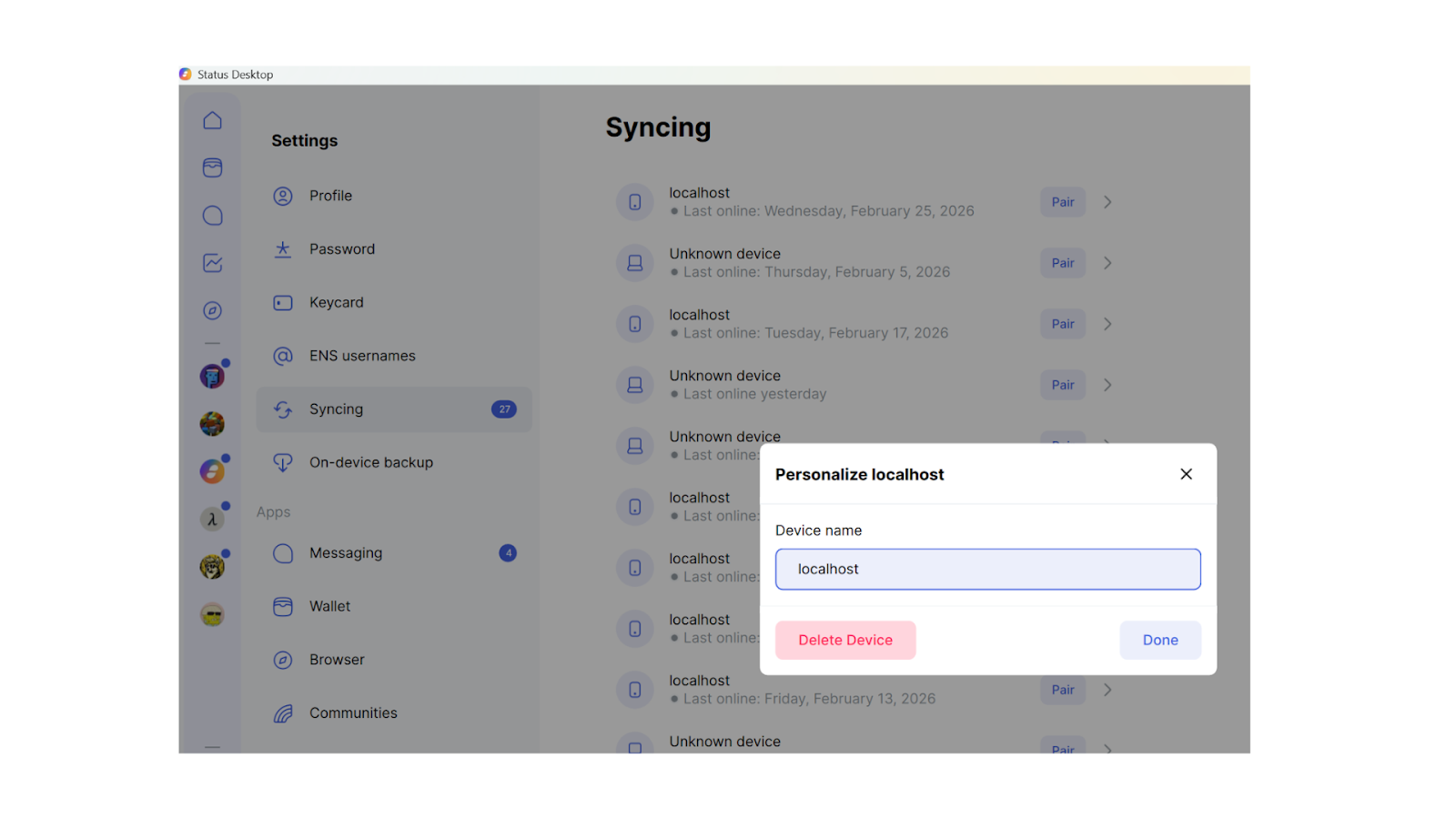
If you need to clean up your list of devices in the Syncing tab in Settings, you can now remove them one by one.
Now, spectated communities and emoji reactions are included in on-device backups and automatically restored when pairing a new device.
Based on user feedback, we’ve made inviting contacts simpler by adding access to the Invite Contacts feature in more places across the app and making it easier to share your contact invite links on mobile devices.
We’ve upgraded how Status identifies and handles tokens to ensure your wallet is more reliable than ever. By uniquely identifying tokens using a combination of chain ID and token’s smart contract address, we’ve eliminated ambiguity for tokens that share the same ticker on the same network. This ensures your wallet portfolio view aggregates your holdings with pinpoint accuracy and the app handles such tokens correctly.
This change required foundational updates across the app, and the team is actively working on performance optimizations that will be included in an upcoming release.
Ready to explore the new features? Update your Status and jump in → Download Status
Status is still in active development, so you may encounter bugs.
Your feedback helps us build the best app for secure crypto, private messaging, and community-owned spaces. Read this guide for more information on reporting bugs in Status. Alternatively, you can share your feedback directly in the Desktop or Mobile feedback channels within the Status Community.
Don’t miss the latest news from Status – follow us on X or join our Community in the Status app to get the latest news and updates!
Your use of the Status apps is subject to the Status Terms of Use and Privacy Policy.