
Status 2.39: Reliable message delivery, new token Swap+ Bridge, browser Incognito mode, Robinhood chain, and more…
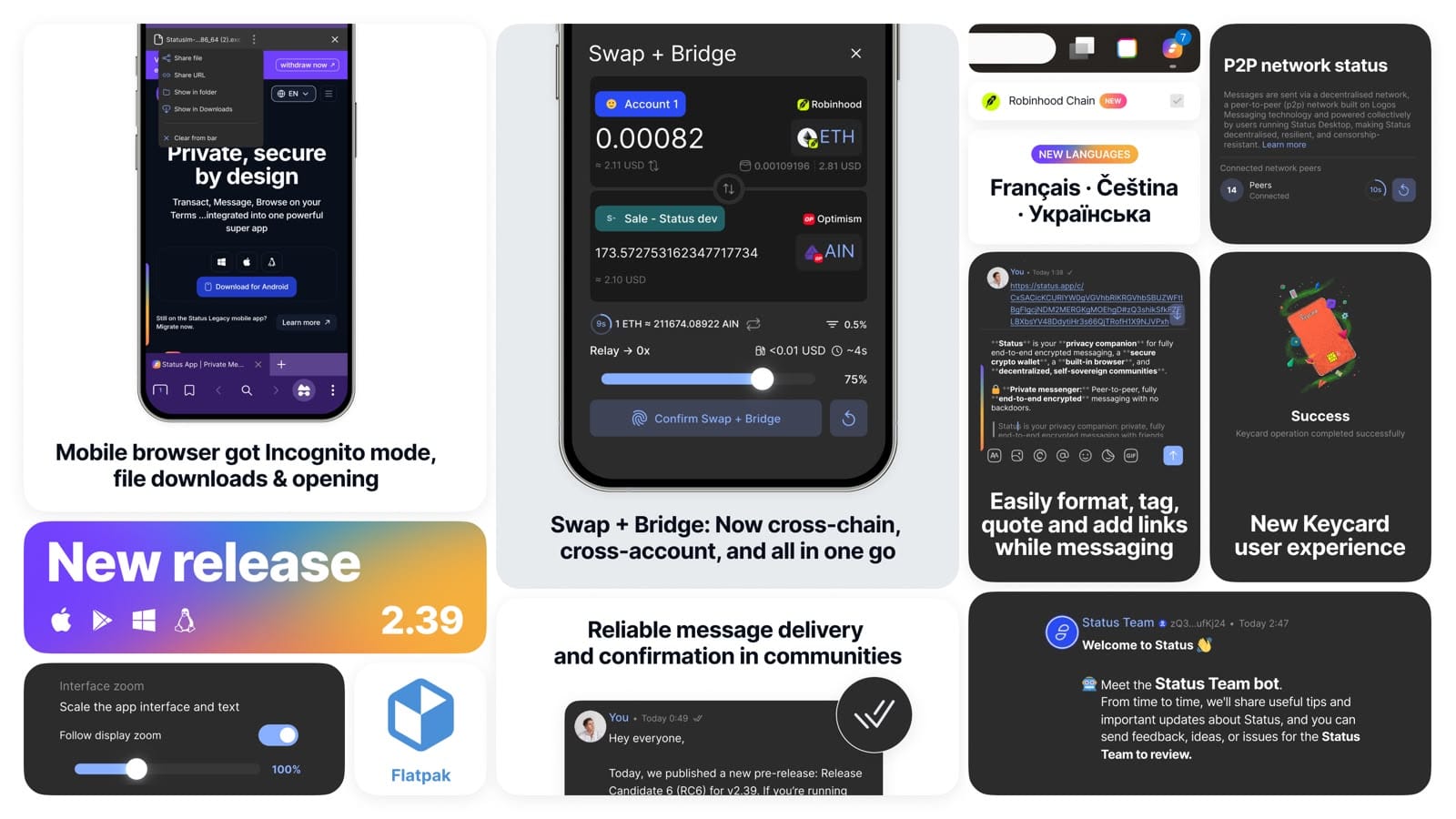
Status 2.39 brings a wide range of new features and improvements across messaging, wallet, browser, communities, Keycard, performance, navigation, and p2p network status visibility.
One of the major additions is the full rollout of SDS (Scalable Data Sync) protocol in Status Communities, bringing reliable message delivery and confirmation, while the app automatically ensures no messages are missed. But there is a lot more in this release.
Important: This is a breaking change. If you’re on Status v2.36.1 or lower, you must update to v2.39. Otherwise, your Status app won’t be able to properly communicate with Status users on v2.39.
- 1Reliable message delivery and confirmation for communities
- 2Cross-chain + cross-account token swaps and bridges in one go
- 3Mobile browser got Incognito mode and file downloads & opening
- 4Meet Status team bot
- 5Robinhood chain support
- 6French, Czech & Ukrainian translations
- 7New Keycard user experience
- 8Writing & editing messages got easier
- 9Adjustable interface zoom
- 10Easier back navigation across the app
- 11Better feedback when fetching a community
- 12More responsive mobile experience
- 13Visibility into P2P network connection
- 14See your unread notifications from the taskbar
- 15Easier copy, cut, and paste in input fields
- 16Flatpak support
- 17Zoom in on images in chats
- 18Private, decentralized community history with Logos Storage
Status 2.39 marks the full rollout of the SDS (Scalable Data Sync) protocol, bringing reliable message delivery to Status communities. Starting with this release, the app can receive, understand, and send SDS messages.
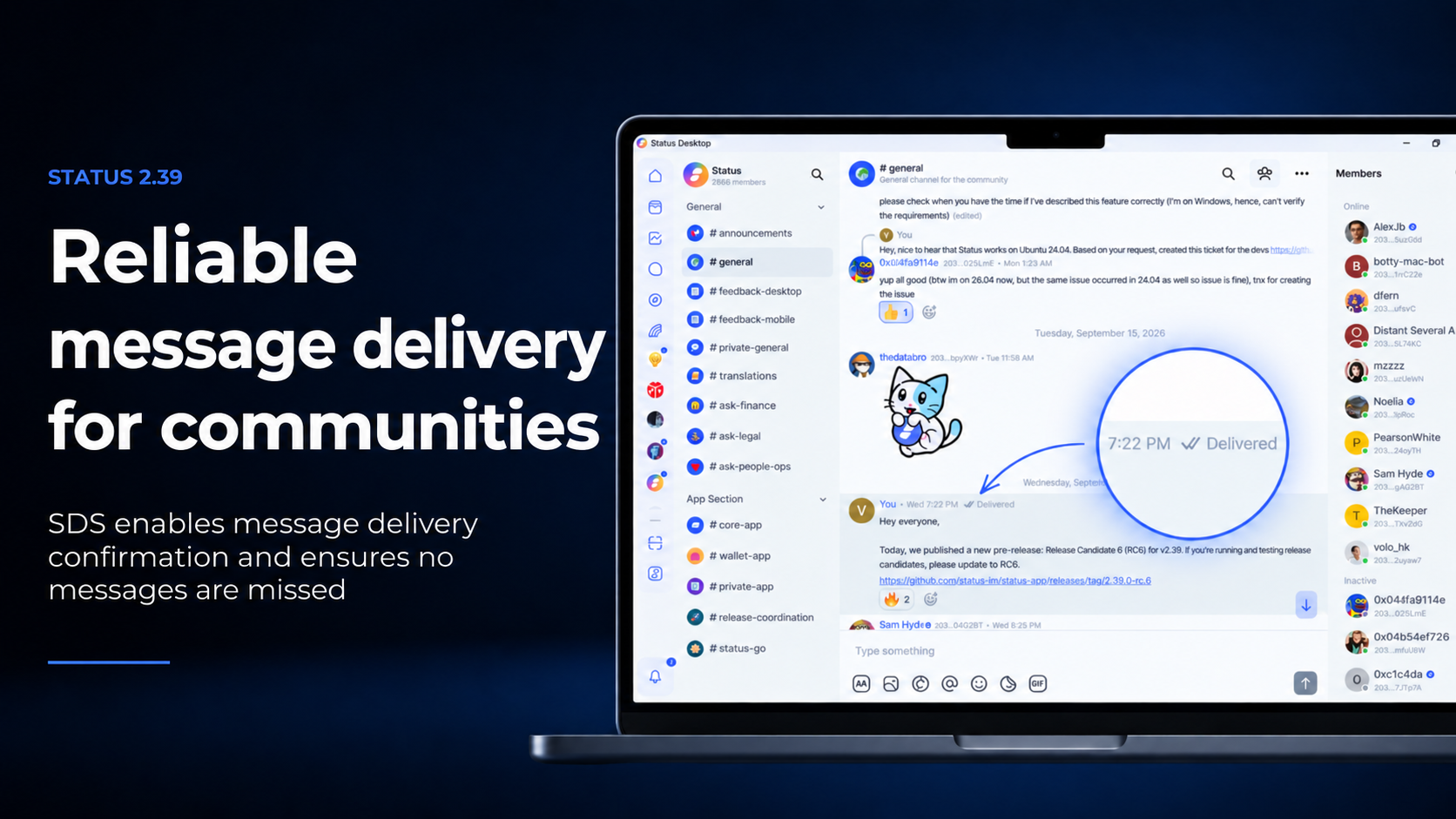
With the SDS protocol now fully activated in Status communities, you can see whether your messages have been delivered (the “Delivered” double tick next to your sent messages), while the app automatically ensures no messages are missed.
Learn more about SDS (Scalable Data Sync), how the protocol works, and what it means for Status communities in the full article: Status Communities Get Reliable Messaging with the SDS Protocol.
Now, Status has an official Status Team peer-to-peer bot for updates, how-to tips, contacting the team, sharing feedback, reporting issues, or suggesting features. It speaks English only for now, with more languages coming. If you’re a new user, the bot will welcome you and send how-to tips to help you set up Status and explore its features.
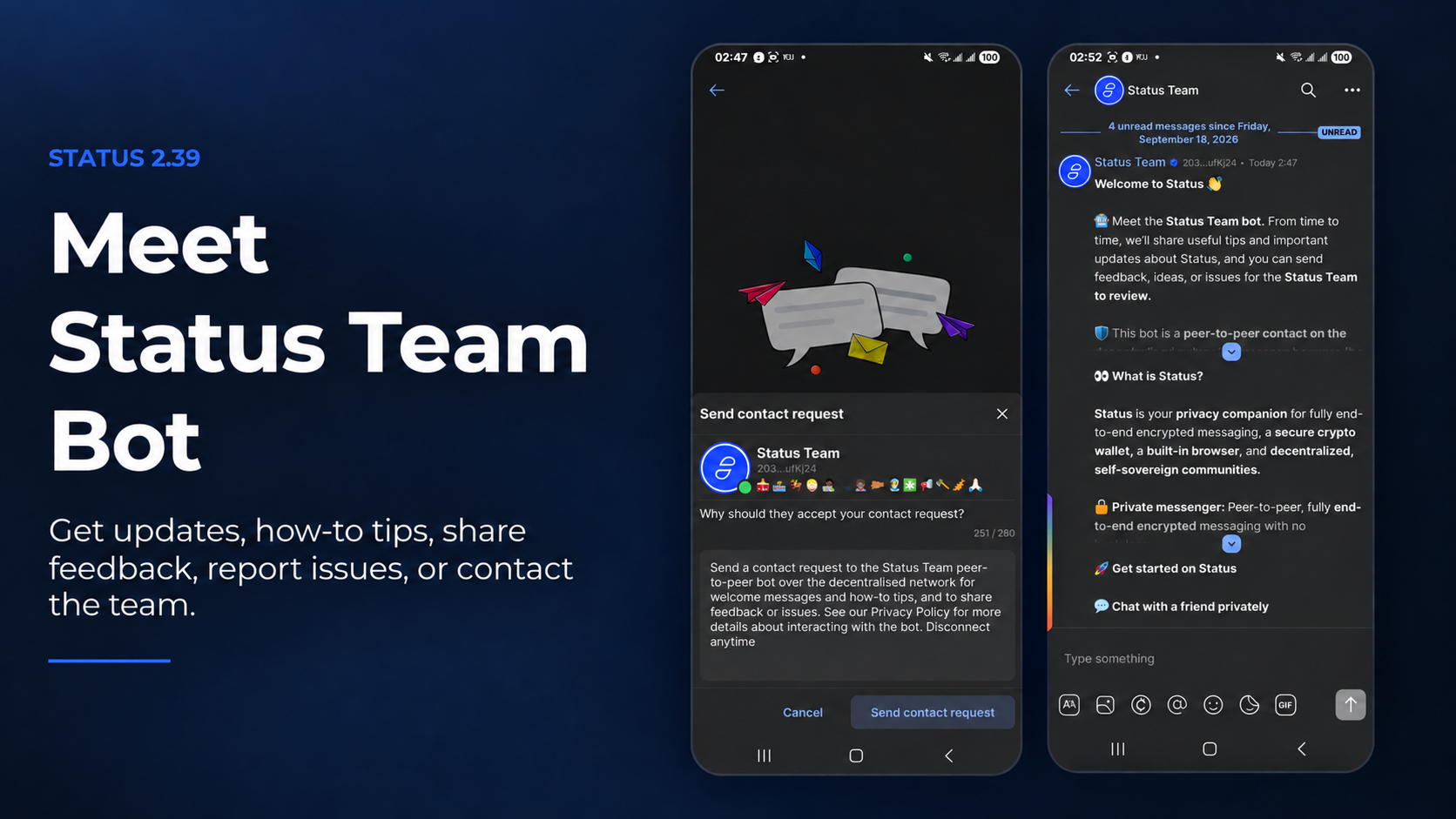
The bot is a peer-to-peer contact on the decentralised network. To chat with it, send a contact request just as you would to any other Status contact (look for the Status icon above your profile picture in the main navigation bar). Messages use the same end-to-end encrypted, peer-to-peer messaging as your other Status chats. You can disconnect from the bot at any time.
The bot will occasionally send Status updates and how-to tips, and gives you an easy and quick way to share feedback, contact the team, report issues, or suggest features.
Status 2.39 delivers the second phase of the revamped chat input field, with several improvements designed to make composing and interacting with messages easier. Text formatting, tagging users, pasting links over text, quoting, editing, and replying now feel more intuitive and seamless.
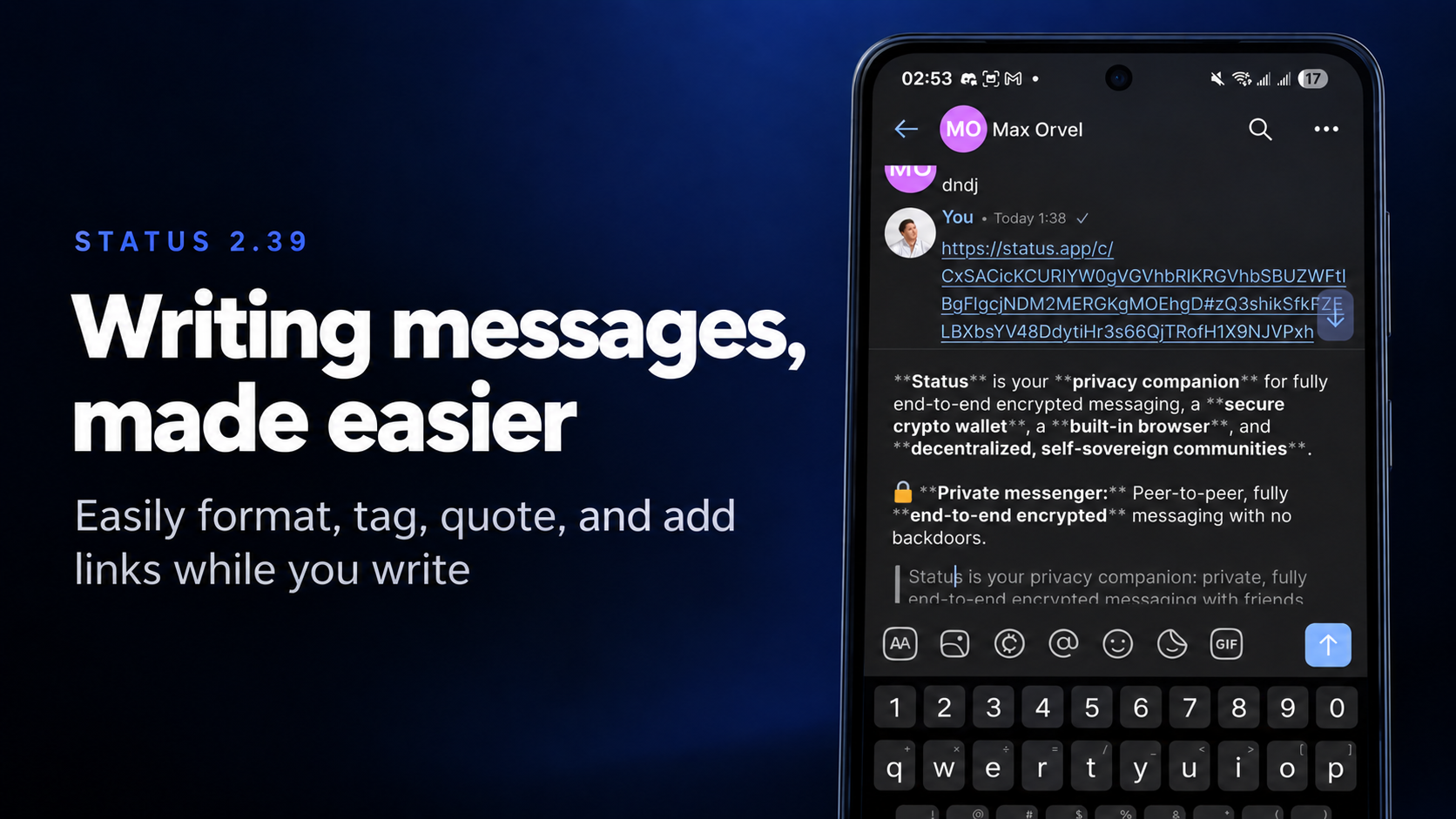
Writing messages has been revamped to make the user writing experience more efficient and productive while composing a message. Formatting text, mentioning someone, adding links over text, and quoting content is now more intuitive and seamless.
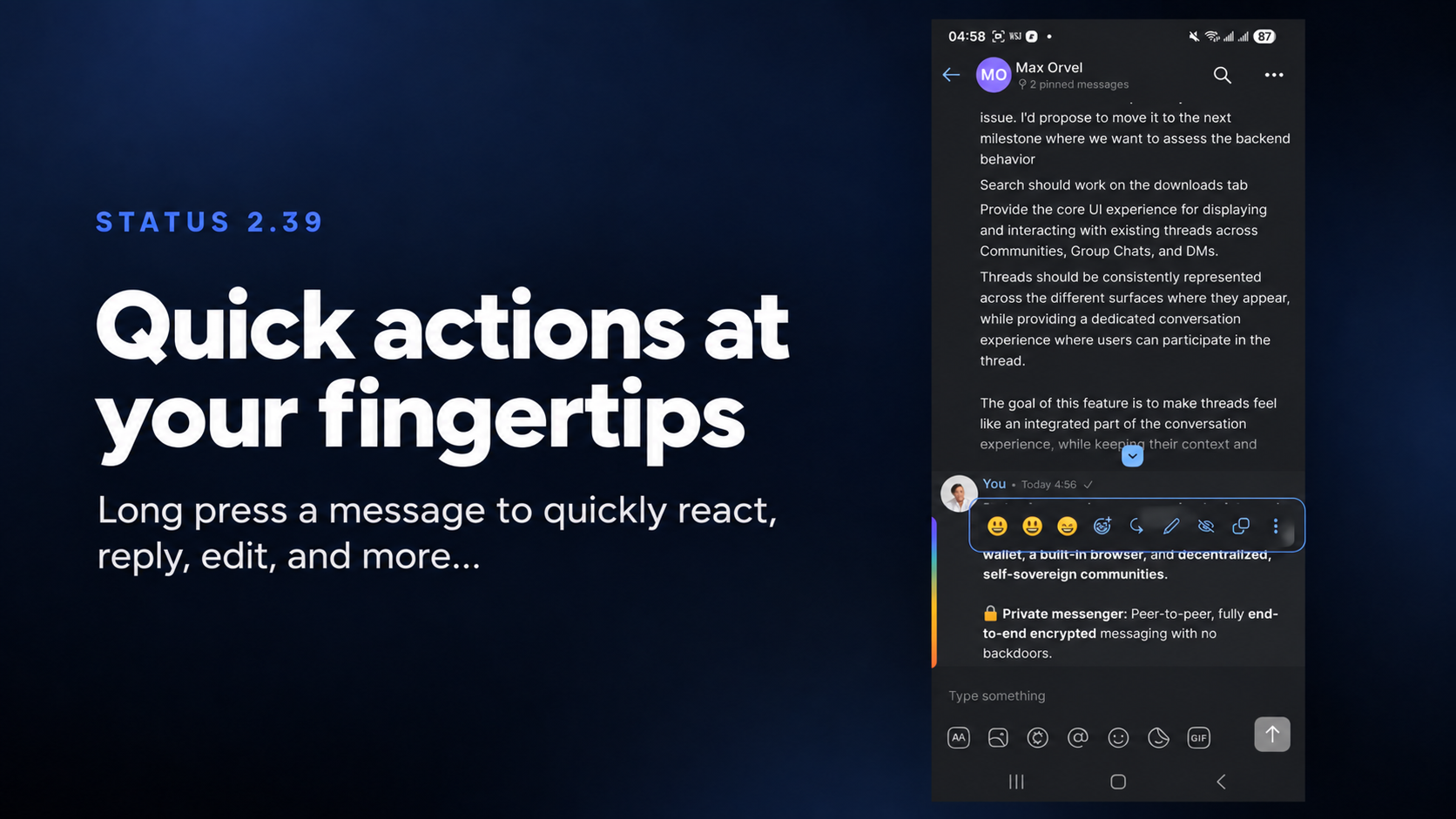
This release also introduces a mobile-friendly context menu in the chat. A simple long press gives you quick access to your most recent emojis and most-used chat actions without needing to navigate through the full context menu.
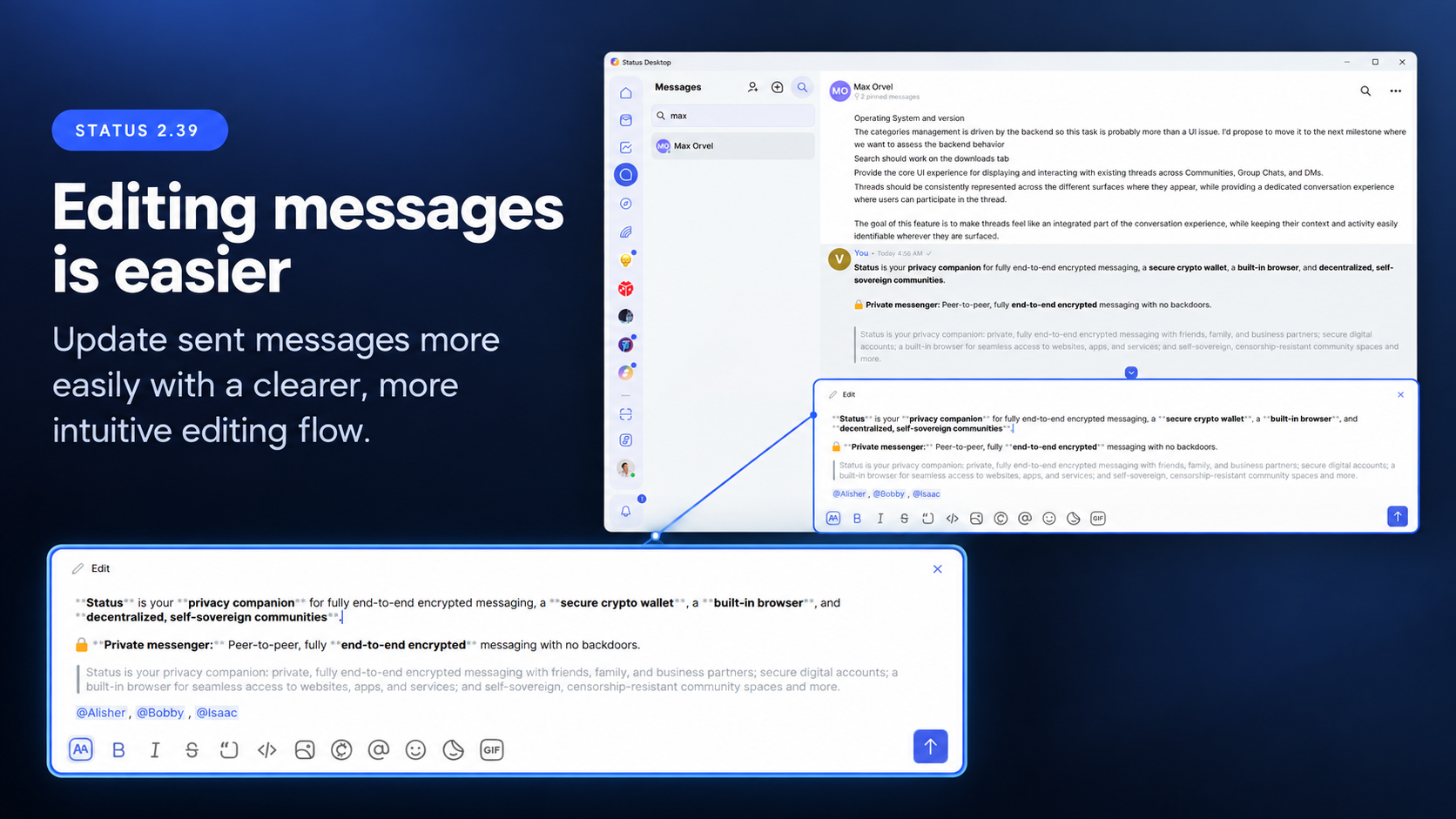
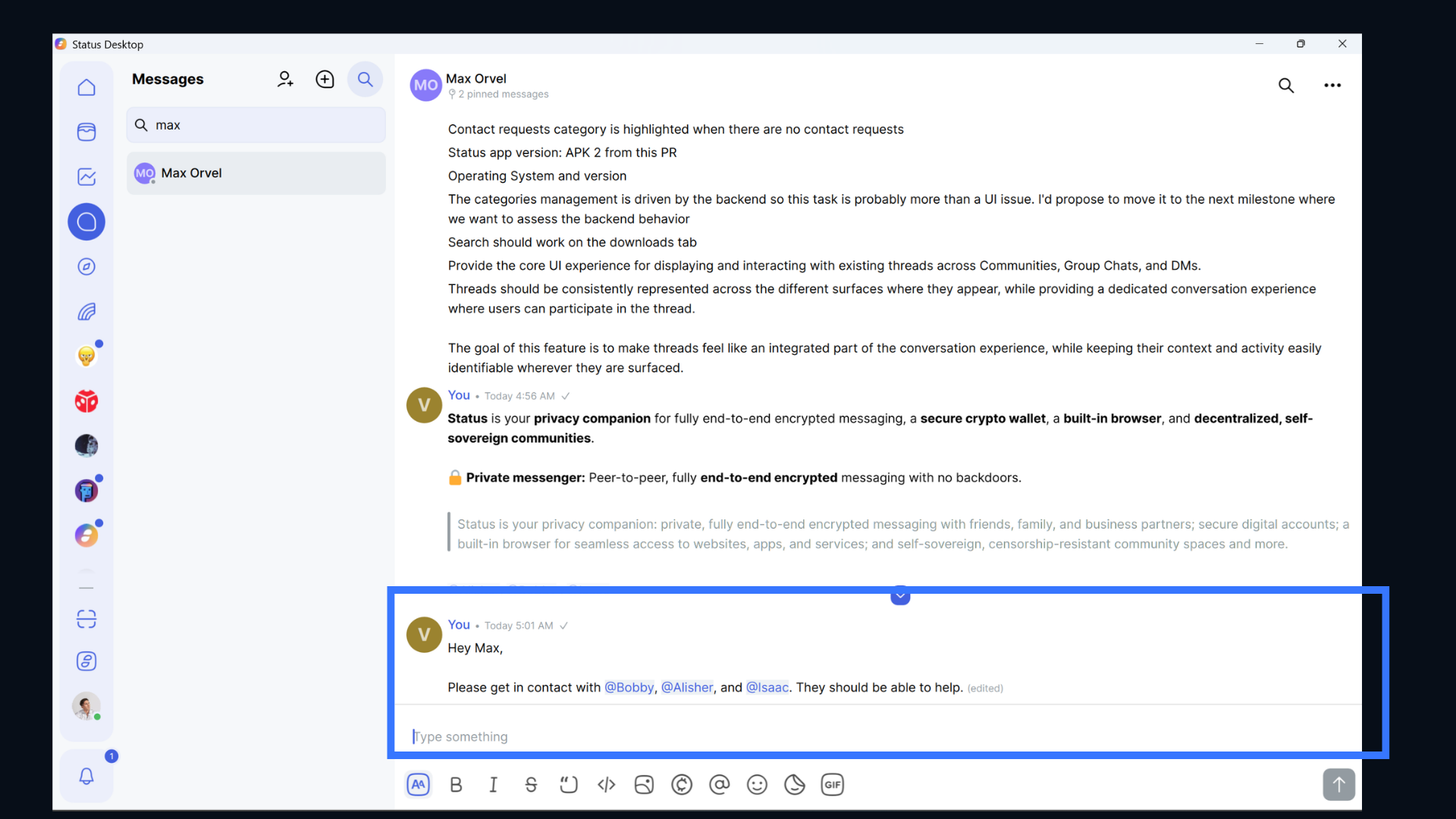
The message editing experience has been improved as well. Updating something you have already sent is now more straightforward, making it easier to quickly correct or change a message.
You can now easily share contacts in direct messages. Type @, or select @ from the chat input quick action bar, and choose the contact you want to share.
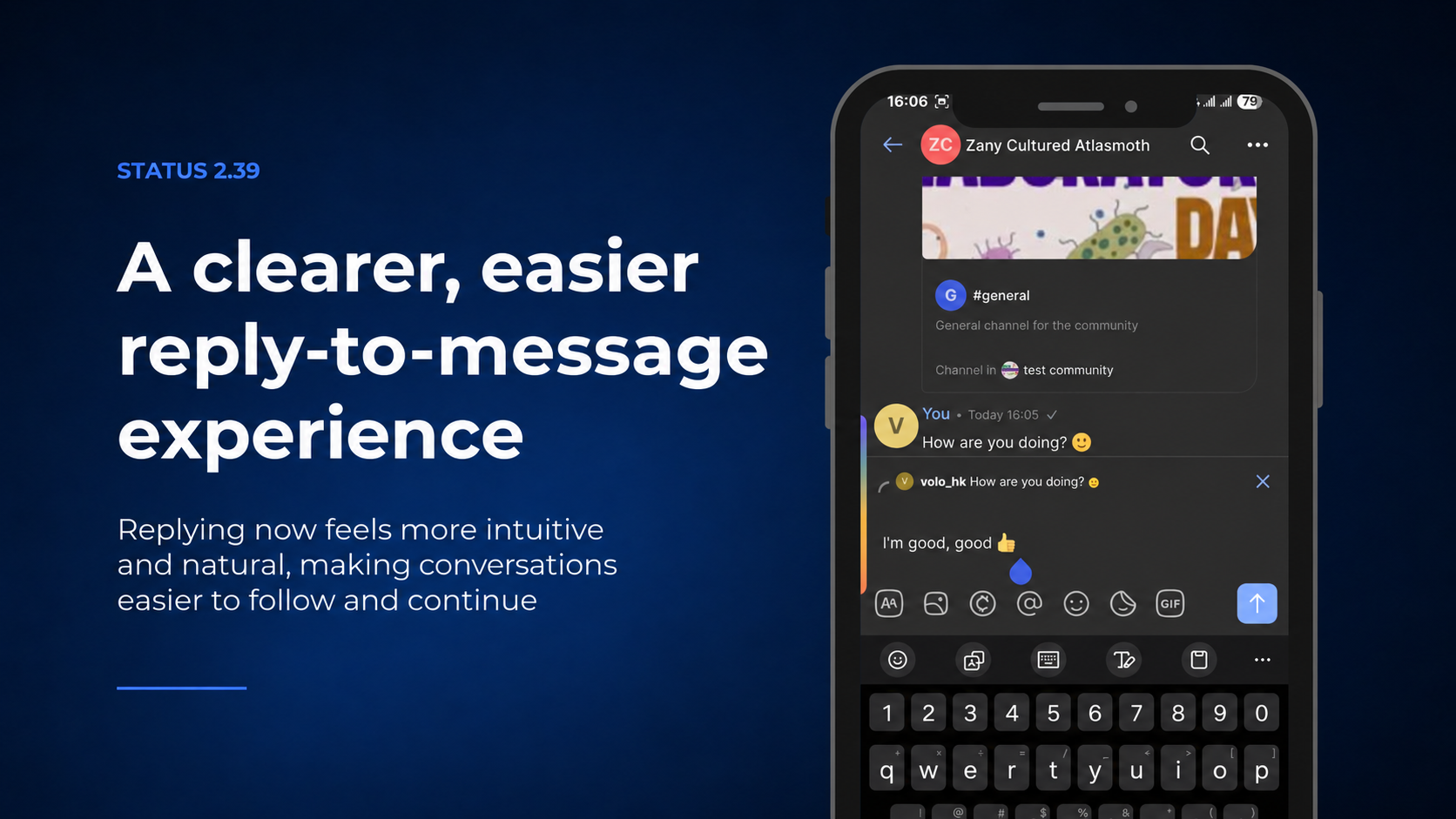
The reply experience has also been improved. Replying to messages now feels more intuitive and responsive, making it easier to follow and continue conversations.
Opening a community link for the first time requires Status to fetch the community before it can be displayed. Status 2.39 now makes this process clearer.
When you open a community invite or channel link for the first time, Status shows a loading screen while fetching the Community. If the community cannot be fetched within 60 seconds, you are given the option to retry or cancel.
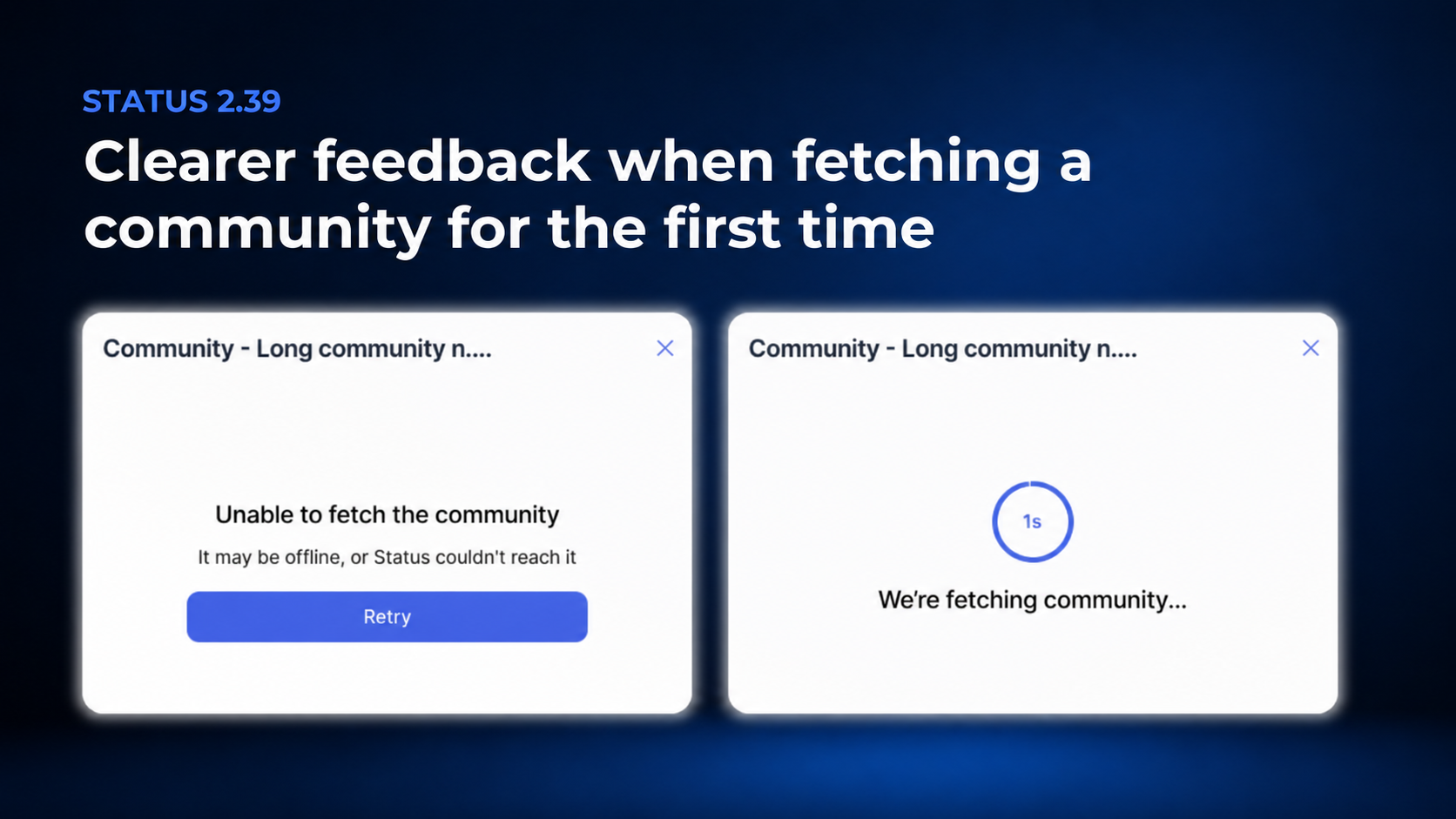
This gives you clearer feedback instead of leaving you unsure whether anything is happening while Status fetches a community for the first time.
The Status Mobile Web Browser gets several new features in 2.39, including Incognito mode, file downloads and opening, and ways to clear browsing data.
Status Mobile Browser now has an Incognito mode for more private browsing, helping you leave less of a digital footprint on your device by not keeping your browsing history, cookies, or site data after the session ends.
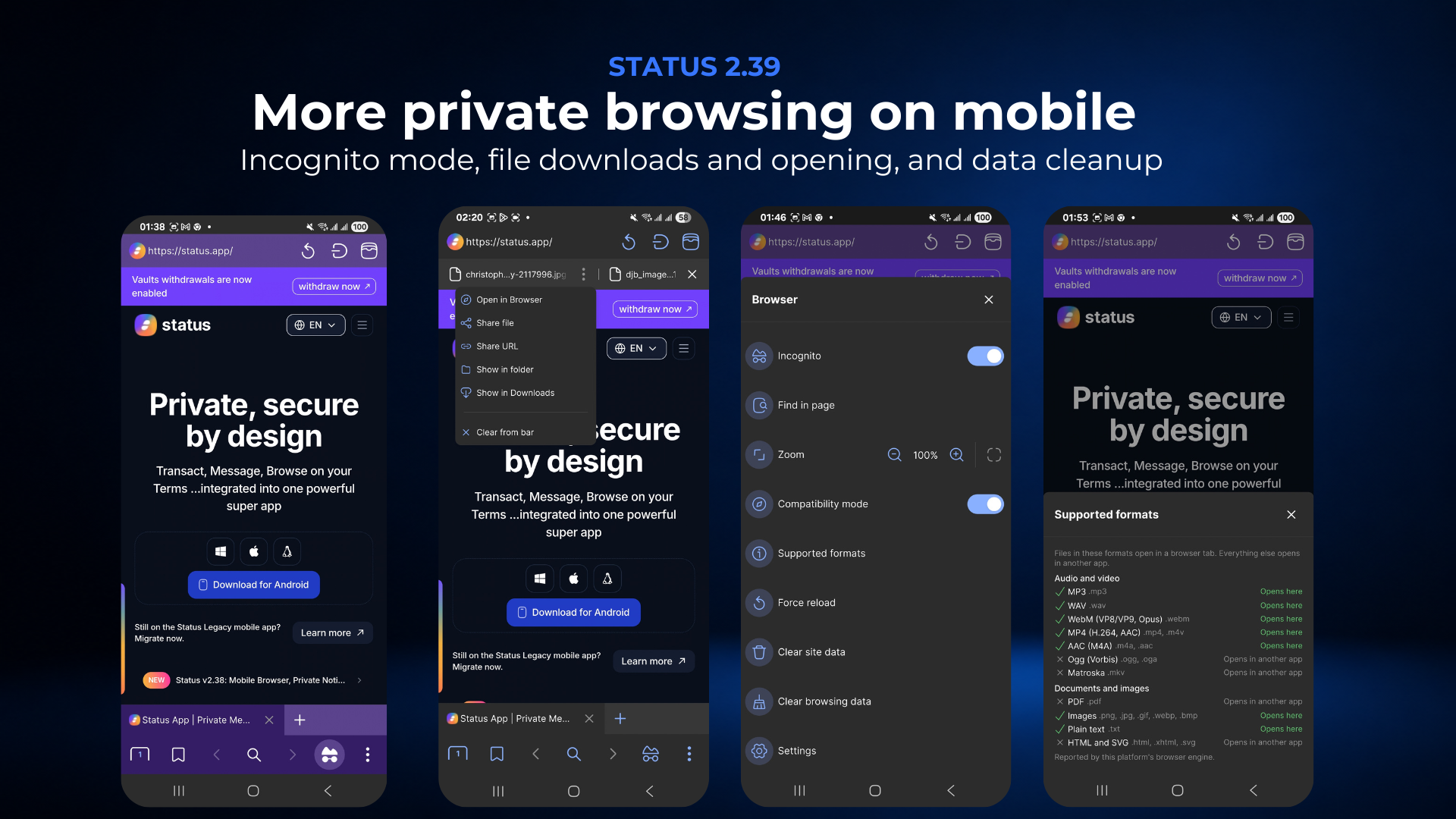
Sometimes a web page may not work or load properly, so now you have two ways to reset it:
- Clear site data lets you reset the data associated with your currently active web page.
- Clear browsing data clears cache and cookies across the entire browser.
This makes it easier to fix website rendering issues and manage your browsing data .
You can now download and open various files directly through the Status Mobile Web Browser. There is also a new Supported formats feature in the browser menu. This shows which file formats the browser can open based on your platform’s browser engine.
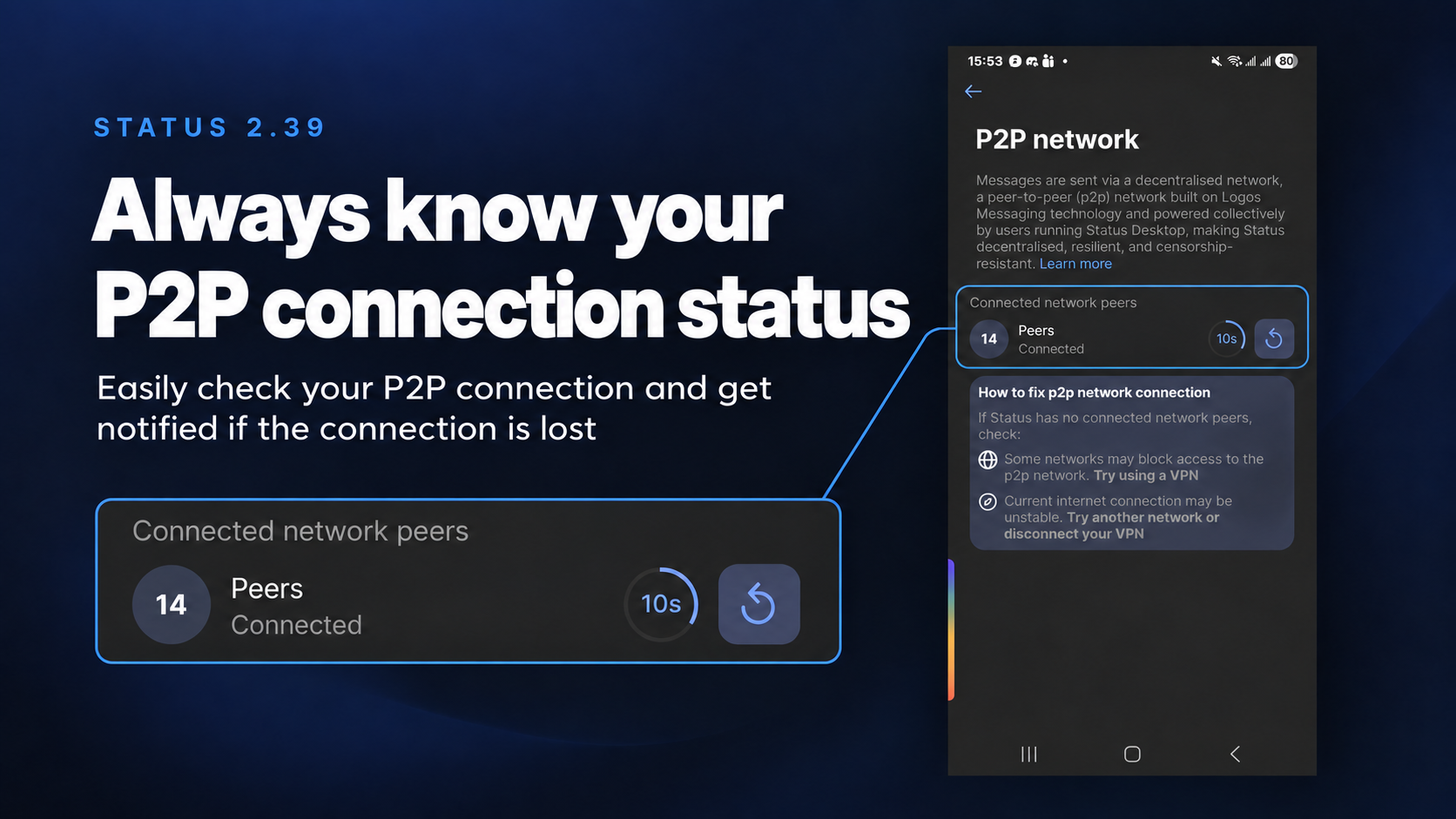
Since Status messaging works through a peer-to-peer network, your connection to that network is an important part of the experience. Status now makes it easier to know whether you’re connected to the peer-to-peer network.
If Status loses its P2P connection, you will now see a banner letting you know. The banner also provides guidance on what to check to get connected again. You can also go to:
Settings → P2P network
at any time to see your current P2P connectivity status and the number of connected network peers.
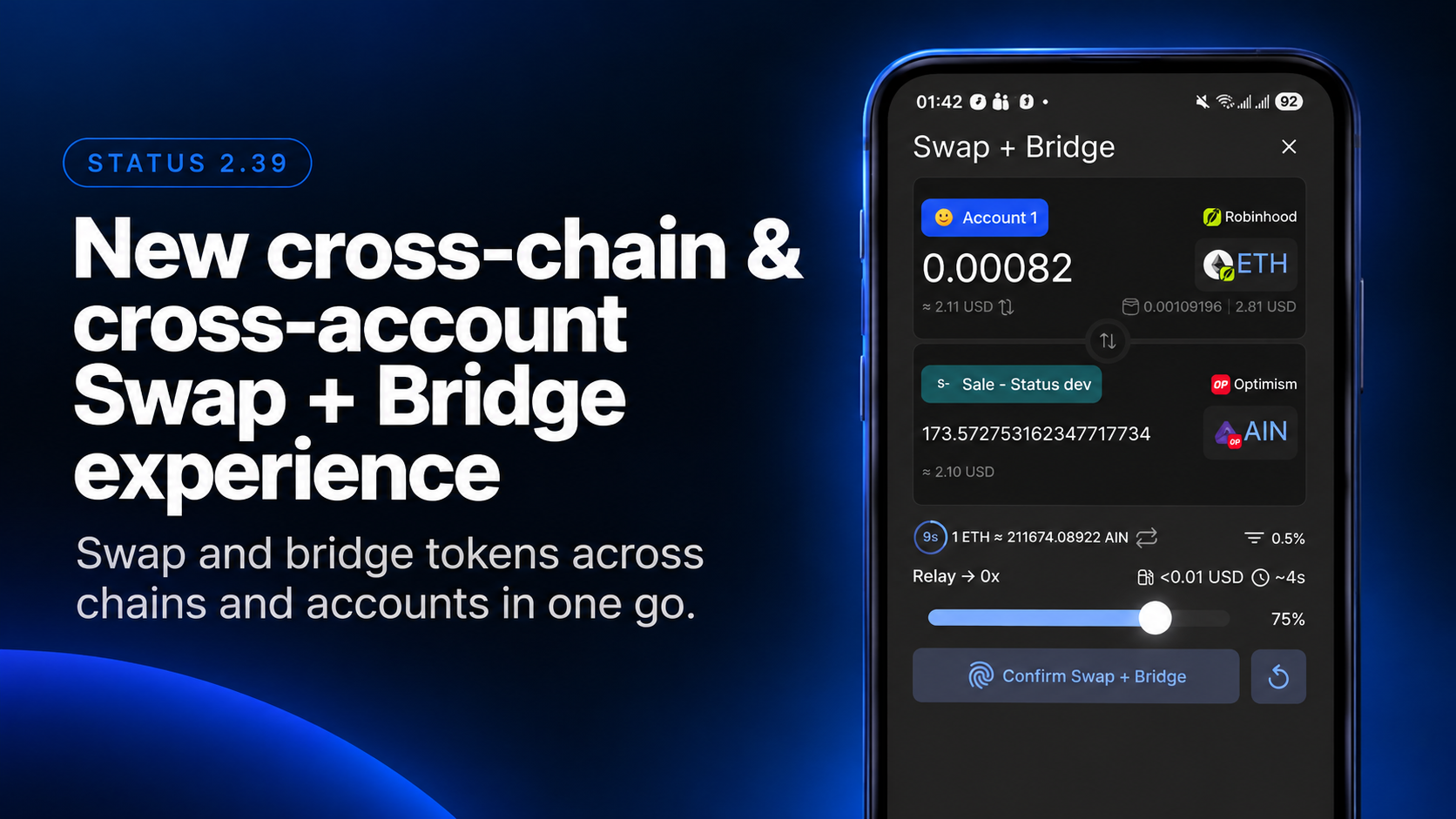
Here we go… This is happening. Status now has a fast and simple way to swap and bridge across chains and wallet accounts, with a completely revamped user experience.
Now, you don’t have to choose between swapping or bridging upfront. You can do both in a single go via one unified Swap & Bridge interface to move your tokens across chains and accounts.
The new Swap & Bridge interface enables swapping and bridging tokens to your wallet accounts or directly to other addresses outside your wallet in a single go, without having to go through a sequence of intermediary steps to move your tokens across different chains and addresses.
It works across all the blockchain networks supported by Status, with routes provided by Relay to find the best available quote.
Simply choose your sending account and token on a particular network, then any receiving account and token on the network of your choice, drag the slider to set the percentage of the token you want to send, review the quote and route, and confirm. You can even swap a token on one network and receive a different token in another account on another network all in one go, without manually swapping, bridging, and transferring assets through multiple transactions.
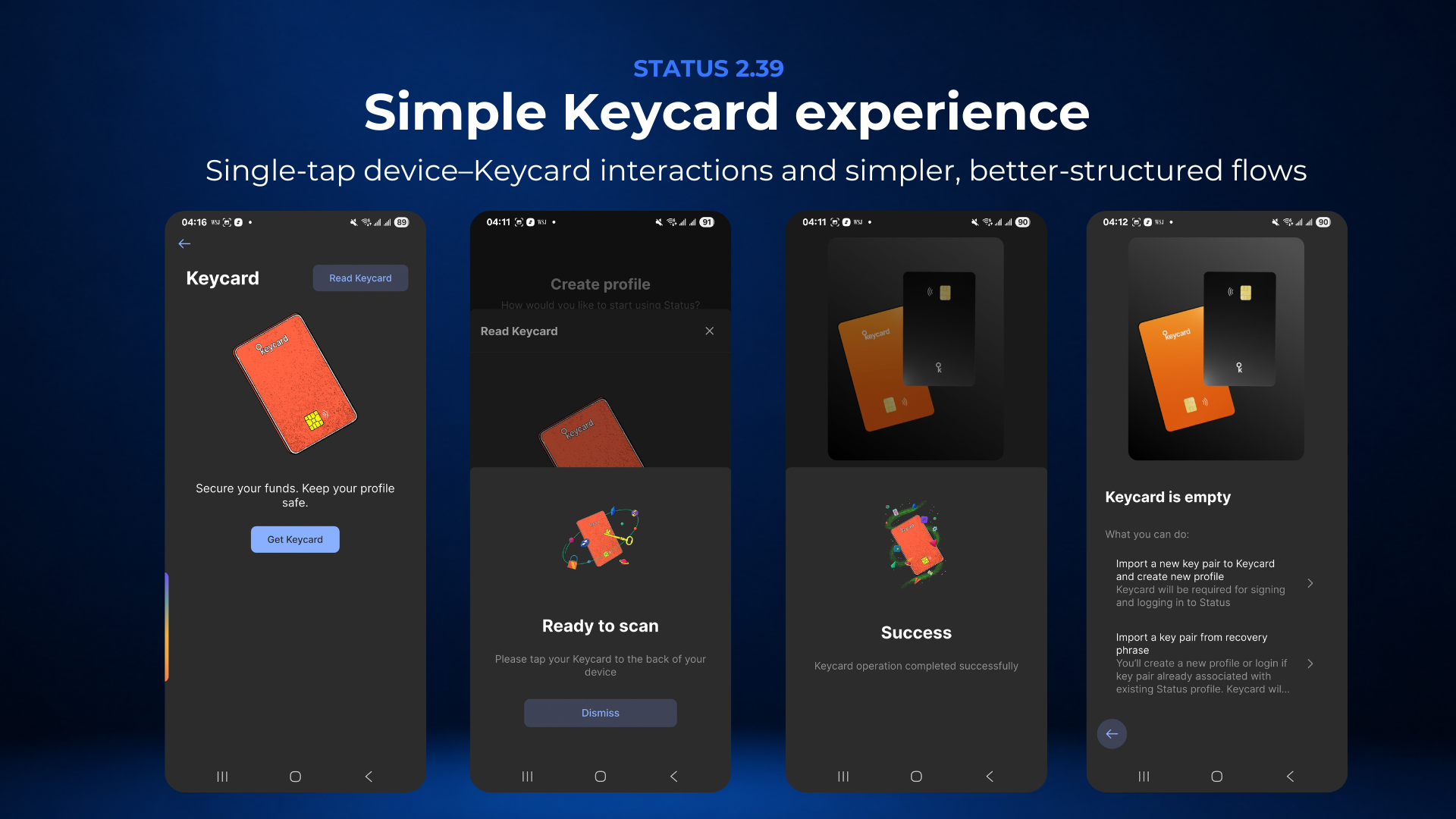
Status 2.39 introduces a completely redesigned Keycard experience focused on reducing unnecessary interactions and making user flows simpler and intuitive. On Mobile, the team has revamped Keycard support so that device–Keycard interactions can now be completed with a single tap.
Whether you’re:
- setting up Keycard
- logging in
- signing transactions
you no longer need to tap your Keycard multiple times during the same flow. Now the Keycard user flows are way simpler, better structured, and more efficient.
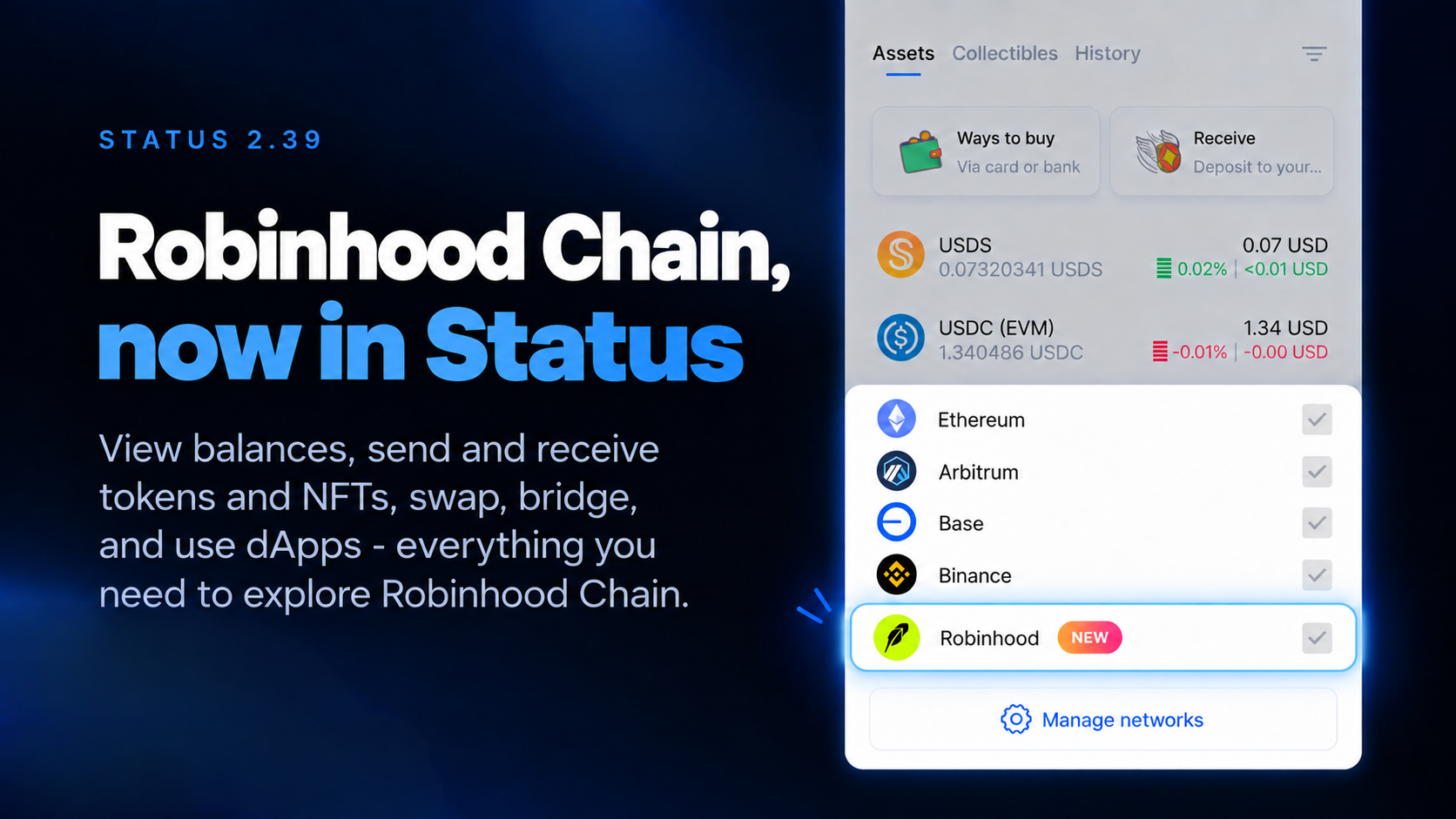
Status 2.39 adds support for the Robinhood Chain. You can now use Status to view balances, send and receive tokens and NFTs, swap and bridge, and interact with dApps on Robinhood Chain.
Everything you need to use Robinhood Chain is now available directly in Status
Status is now available in French, Czech, and Ukrainian.
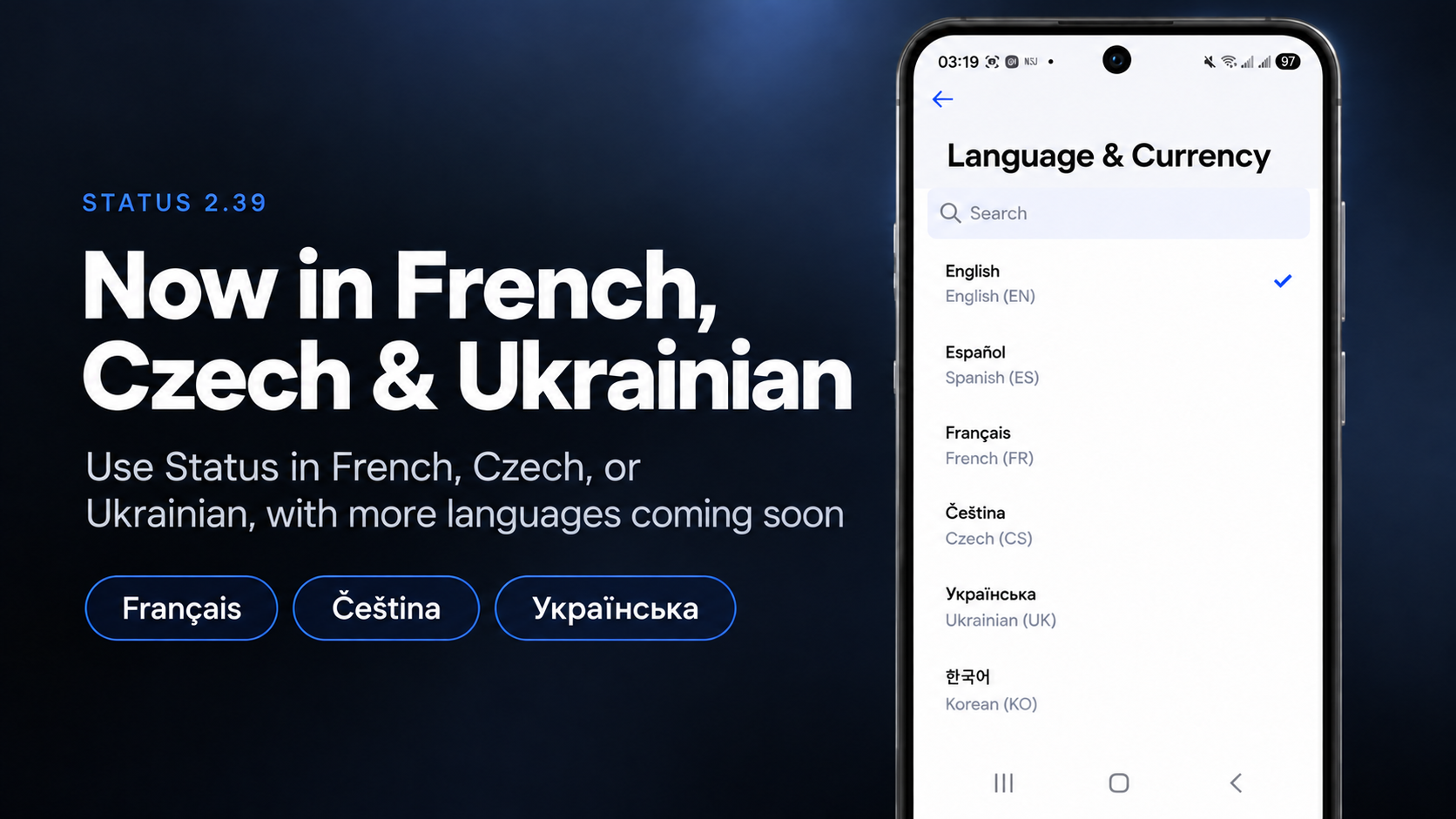
As Status grows globally, making the app accessible in more languages becomes increasingly important. Whether you are in France, Czechia, Ukraine, or elsewhere across the French-, Czech-, and Ukrainian-speaking world, you can now use Status in your preferred language.
More languages are on the way.
Status 2.39 also includes a number of improvements across the mobile app focused on making everyday interactions smoother and more responsive across a wider range of devices.
These improvements are particularly noticeable on less powerful phones, including some devices with 4 GB of RAM, as well as Samsung foldable phones.
The changes include:
- snappier navigation
- shorter login times
- faster password changes
- improvements to loading and displaying data across the app
- dialogs that better adapt to different screen sizes and orientations
Performance improvement work will continue in Status v2.40 and v2.41. These releases will bring more substantial performance improvements, especially for less powerful mobile devices :
- faster opening and loading of pages and tabs
- lower CPU usage
- lower RAM usage
- reduced battery consumption
Buttons, icons, dropdowns, and list options now visually respond when you tap or click them. This makes interactions feel more immediate and gives you clearer feedback that your action was recognized.
The message sending experience has also been improved across Status. Messages that are currently being sent now appear normally instead of looking faded. If a message fails to send, the failed state and Resend action are easier to see and access.
This makes it clearer when a message needs your attention. More improvements to the message sending experience are planned for v2.40.
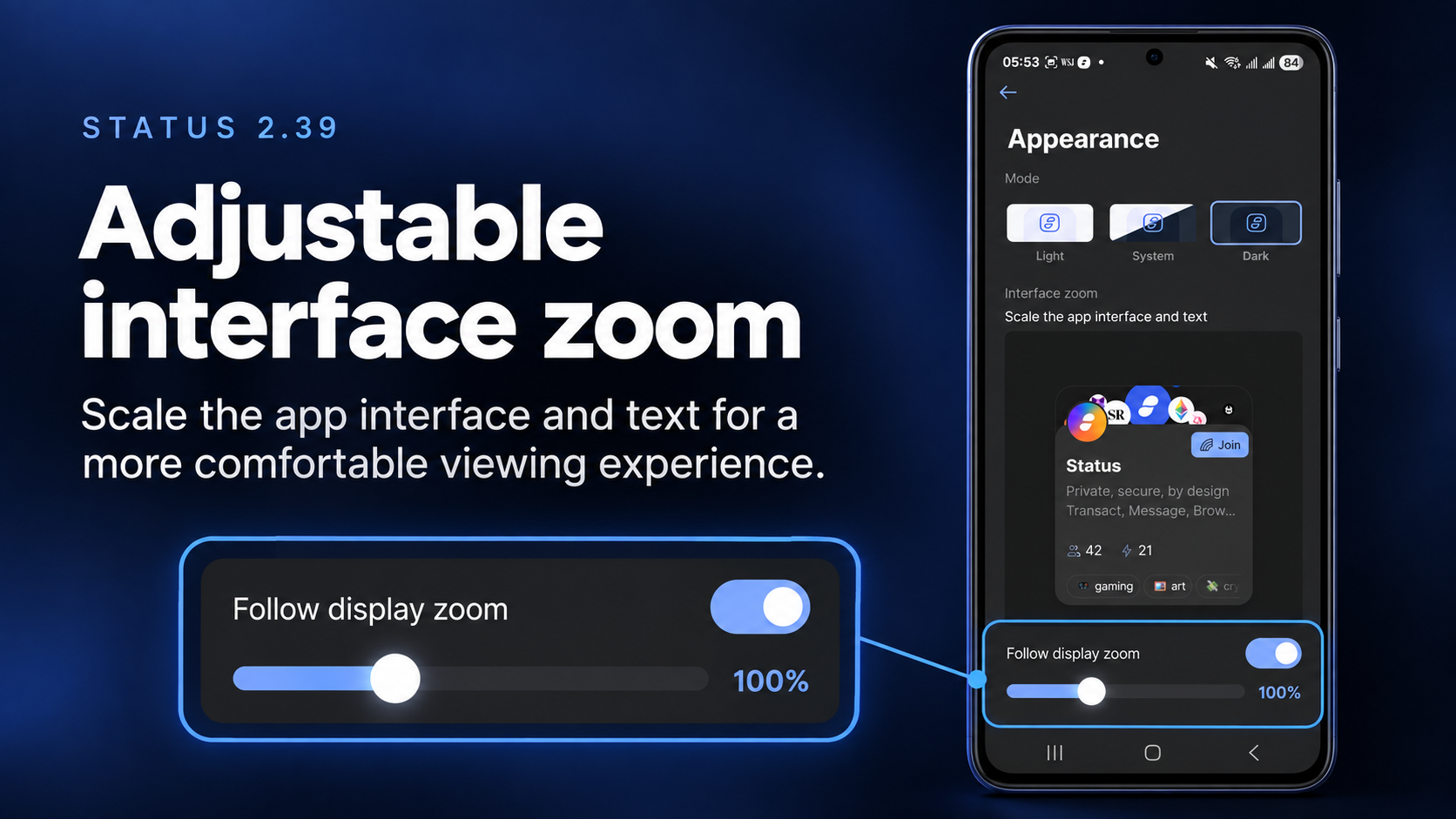
You can now adjust Interface Zoom in Status.
Interface Zoom scales both the app interface and text, letting you choose a size that feels more comfortable on your screen.
By default, Status automatically follows your device’s system zoom setting, but you can manually adjust the zoom level to suit your preferences.
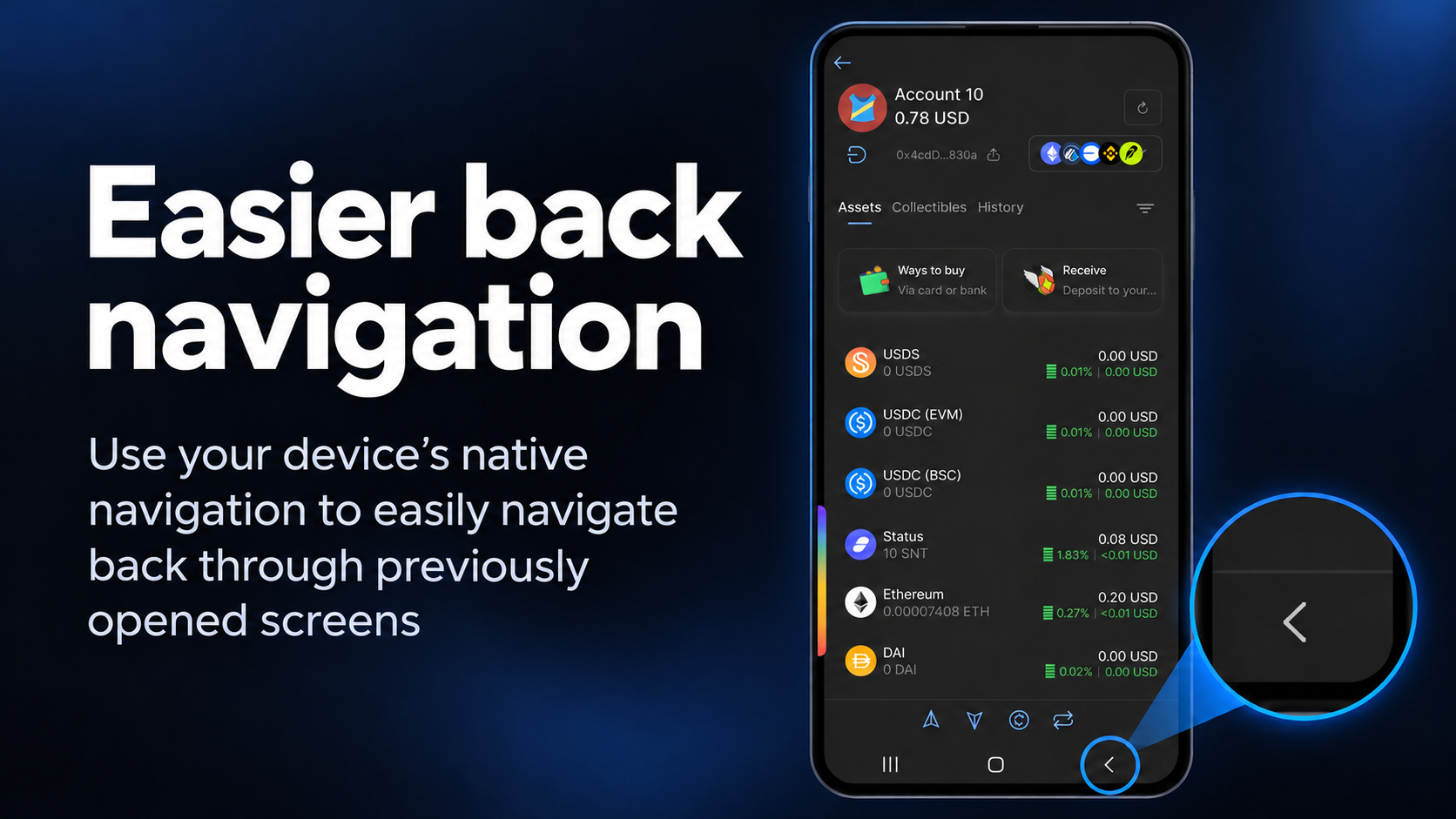
Going back through Status now works more like you would expect from the rest of your device. On Android, you can use the system Back button. On Desktop, you can use your mouse Back button or keyboard shortcut.
These controls let you quickly navigate back through screens you previously opened.
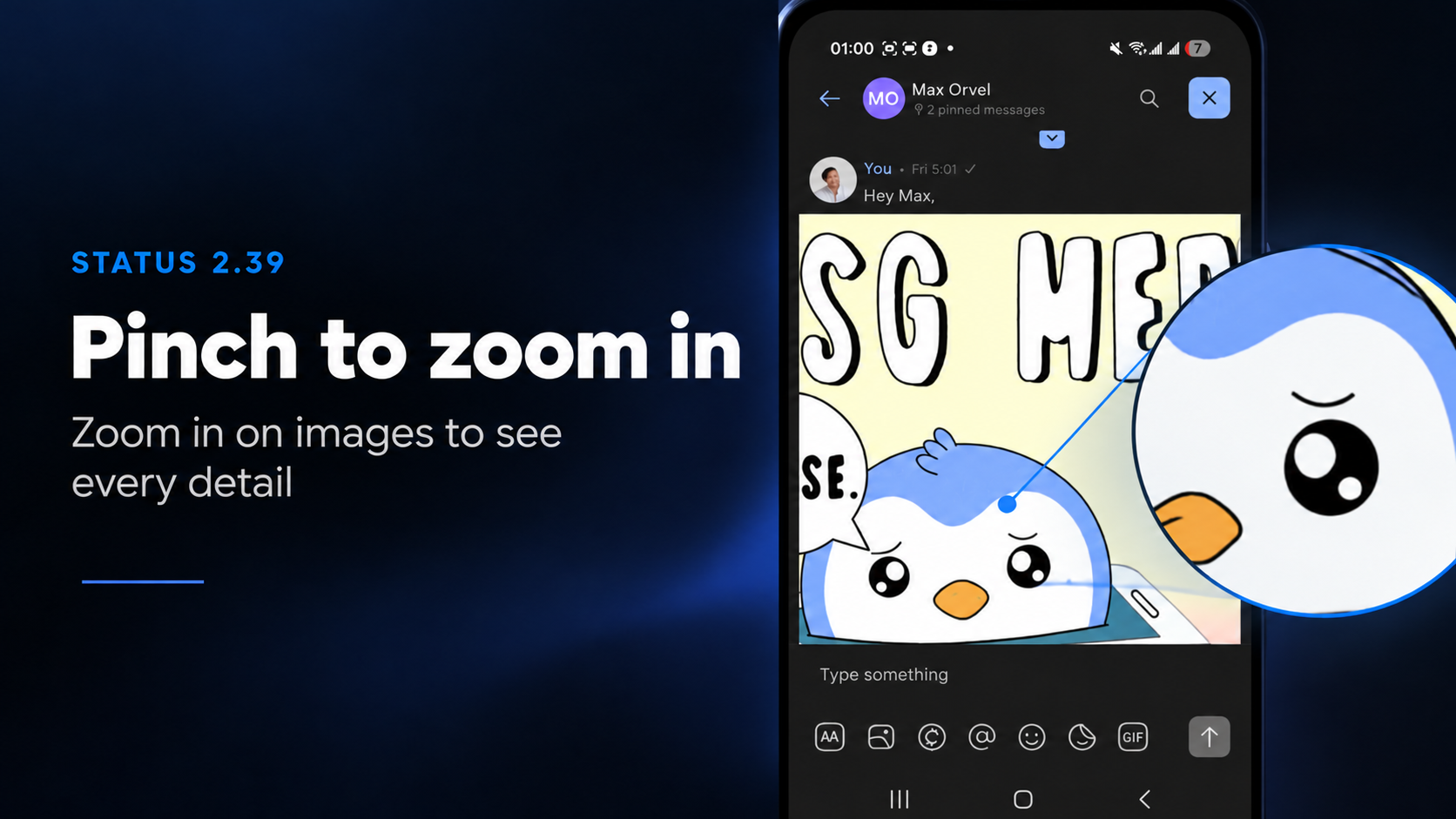
Images shared in Status chats can now be zoomed in to take a closer look at details. On Mobile, use pinch-to-zoom. On Desktop, use Ctrl + mouse wheel to zoom in and out of an opened image.
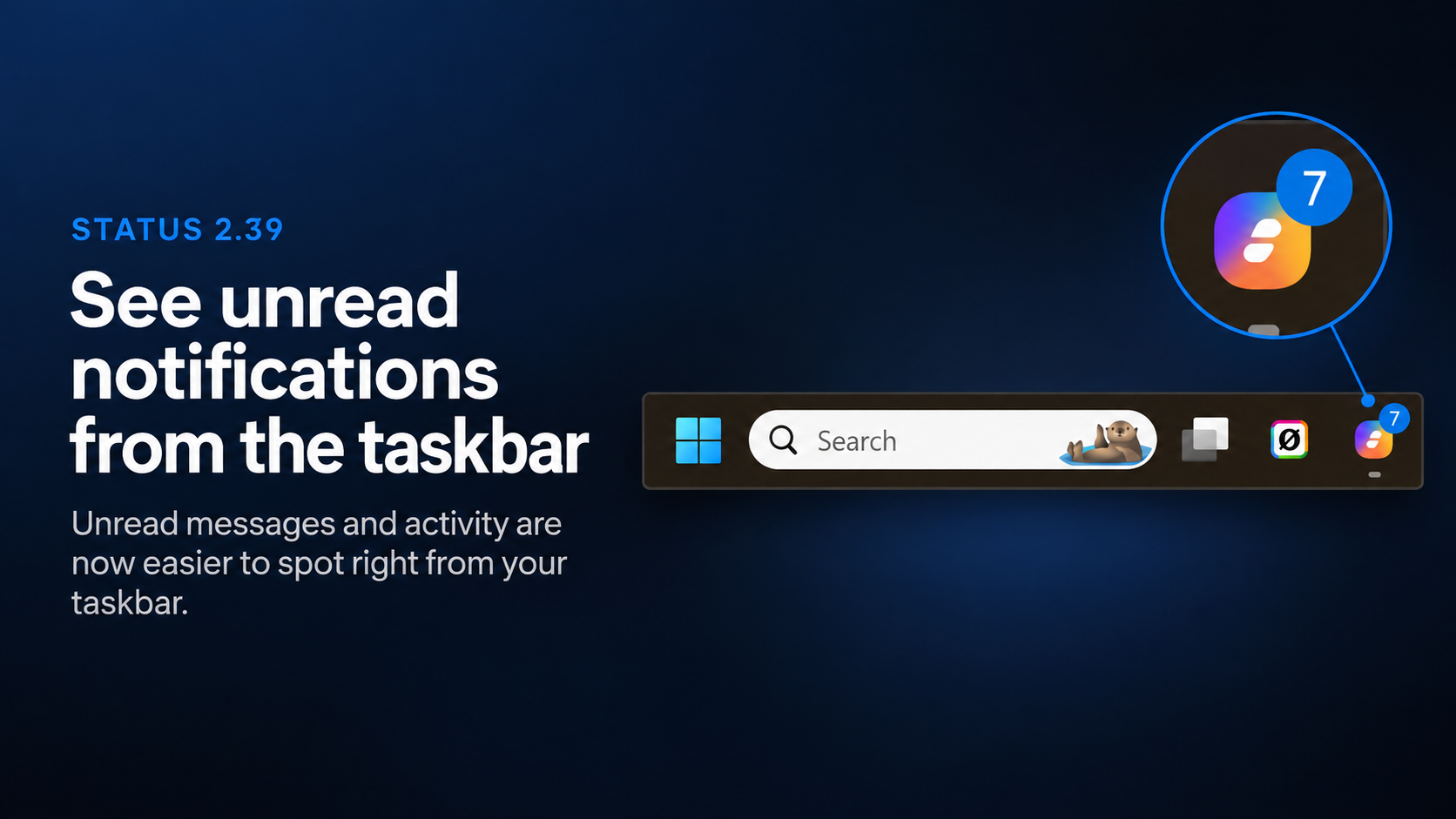
On Desktop, the Status app icon in the taskbar can now show a badge with your unread notification count, so you can see when there’s something new in Status without opening the app.
The unread count respects the notification preferences you have configured under:
Settings → Notifications
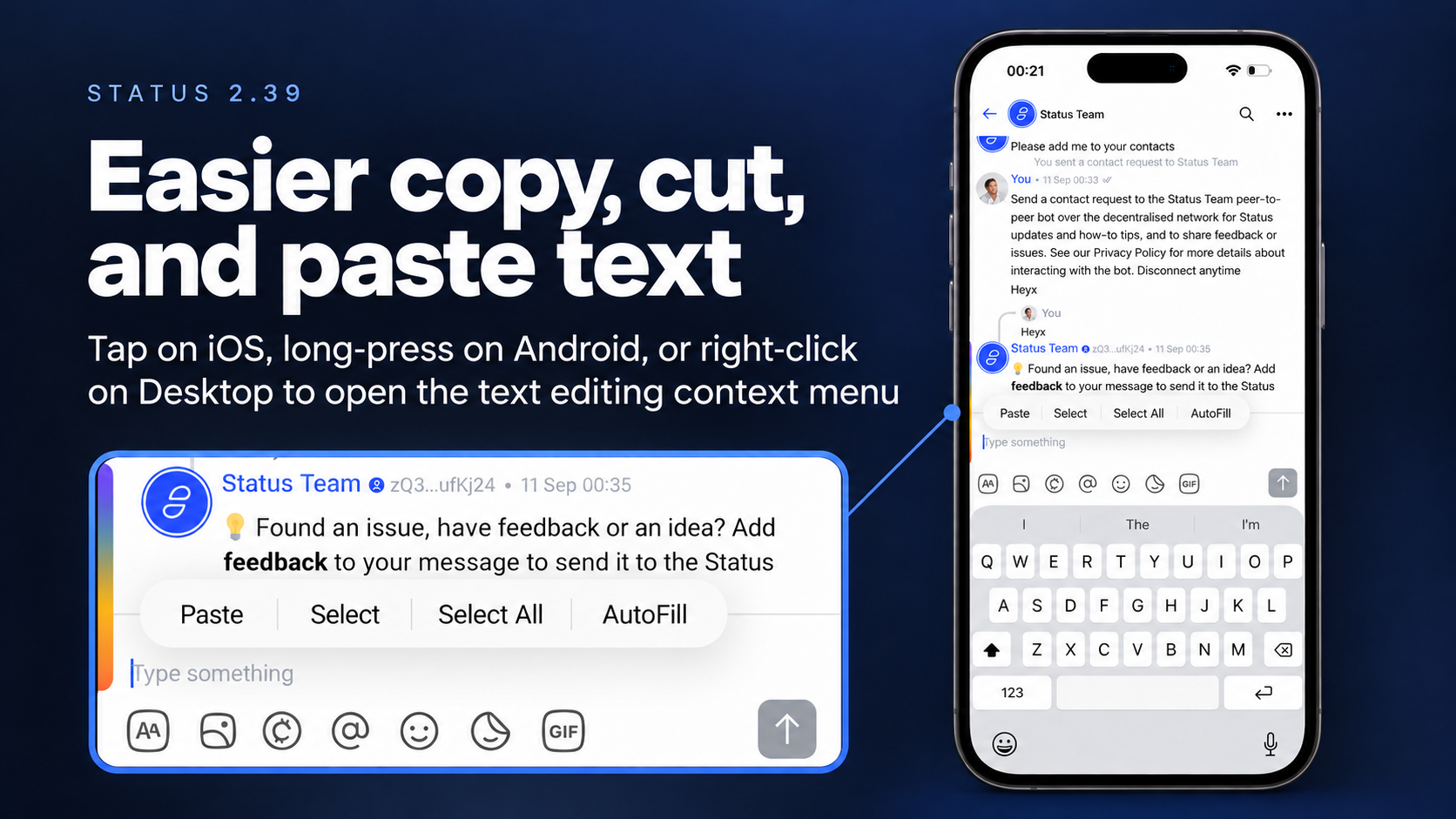
Copying, cutting, and pasting text is now easier in all input fields across platforms.
Use:
- Tap on iOS
- Long press on Android
- Right click on Desktop
to open the text editing context menu and quickly copy, cut, or paste text.
Linux users now have another way to install Status.
Status is available as a Flatpak, providing an easier and more consistent way to install and update Status across different Linux distributions.
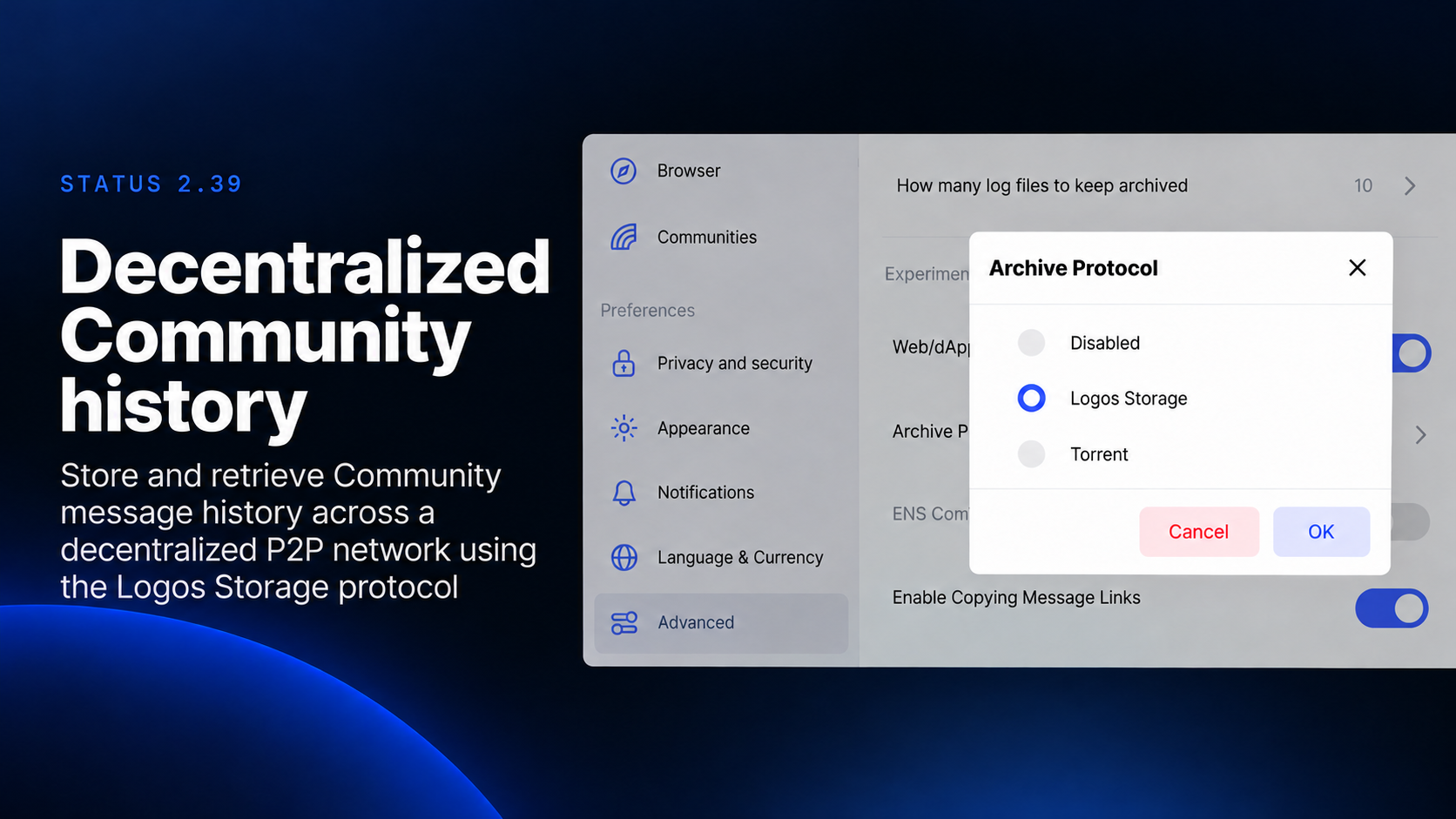
Status now supports Logos Storage protocol for storing and retrieving Community message history. Community history archives can be shared and replicated across a decentralized peer-to-peer network of participating nodes, making historical messages available to Community members.
Compared with the existing BitTorrent-based Archive Protocol, Logos Storage protocol is designed with privacy-preserving file sharing as a core goal.
For most users, this happens behind the scenes. When historical Community messages are needed, Status can retrieve the relevant archives from participating peers and make those messages available in the Community.
Want to try it? Go to Settings on Status Desktop → Advanced → Archive Protocol → Logos Storage. You can switch back to Torrent or disable the Archive Protocol from the same setting.
Status is under active development, so you may occasionally encounter bugs or unexpected behaviour. .
Your feedback helps us build the best app for secure crypto, private messaging, and community-owned spaces. Read this guide for more information on reporting bugs in Status. Alternatively, you can share your feedback directly in the Desktop or Mobile feedback channels within the Status Community.
Don’t miss the latest news from Status – follow us on X or join our Community in the Status app to get the latest news and updates!
Your use of the Status apps is subject to the Status Terms of Use and Privacy Policy.